The Home space provides a consolidated view of your individual work in Mosaic, bringing together key information to help you stay informed and organized. It is designed to give visibility into your tasks, time, and project activity, enabling you to quickly understand what requires your attention.
For Base Members, the Home space typically serves as the primary view for managing day-to-day work. For users with additional permissions, it complements other areas of Mosaic by surfacing relevant updates and personal workload insights in one place.
Each widget highlights a specific aspect of your work, allowing you to efficiently review activity, track progress, and take action as needed.
💡 Widgets can be rearranged to organize the Home space in the order that best supports your workflow.
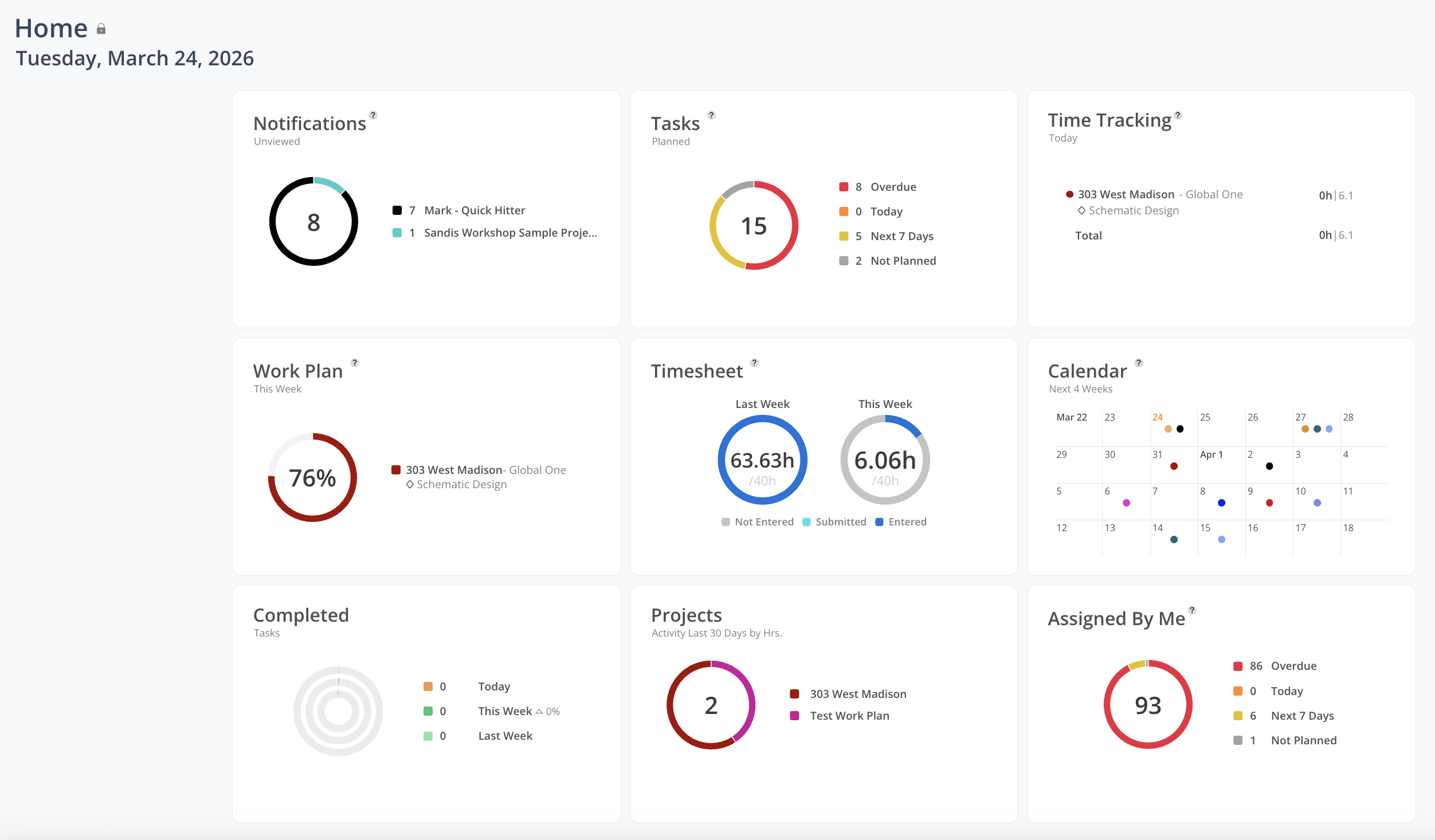
Displays recent updates relevant to your work.
Use this to:
Stay informed of changes across your projects and assignments
Identify updates that may require your attention
👉 Learn more about Notifications
Provides a centralized view of your active tasks, with options to view by day or week.
Use this to:
Review and prioritize outstanding tasks
Track upcoming work and associated deadlines
Displays your planned work for the current day and allows you to track time against it.
Use this to:
Review scheduled assignments for the day
Track time spent and compare it against planned hours
👉 Learn more about Time Tracking
Displays your scheduled work for the current week, providing visibility into allocation and capacity.
Use this to:
Understand how your time is allocated across the week
Assess remaining capacity and upcoming workload
Access and manage your time entries for the current and previous week.
💡 If your Mosaic environment is integrated with your ERP system, this widget reflects time that has been entered and synced from your ERP. If no integration is in place, time should be entered directly within Mosaic using this widget.
Use this to:
Review entered and submitted time across reporting periods
Enter and manage time directly in Mosaic (if not integrated)
Provides a forward-looking view of key dates over the next four weeks, including milestones, time off, and project phase deadlines.
Use this to:
Track upcoming milestones, deadlines, and key dates
Understand how time off and holidays impact your schedule
Displays tasks you have completed across multiple timeframes, providing visibility into progress and productivity.
Use this to:
Review recently completed work
Monitor progress over time
👉 Learn more about Completed Tasks
Displays your active projects along with recent activity.
Use this to:
Access projects you are a member of
Identify projects with recent activity and updates
Displays tasks you have assigned to other team members, with visibility into their status.
Use this to:
Monitor progress on delegated work
Track overdue and upcoming tasks assigned to your team
👉 Learn more about Assigned By Me
Displays the status of your integrations and data sync activity. This widget is available to Admin users and will appear only if an integration is enabled.
Use this to:
Monitor integration sync status and data flow
Identify and review any sync discrepancies or errors
