In Mosaic, a template is a project. You build one project the way your pursuits normally run, then duplicate it with the Clone Project functionality whenever a new proposal comes in. Phases, task lists, scope, milestones, member roles, and budgets all carry into the new project in a single action, and the new pursuit lands on its own timeline.
Setting the cloned project to Proposal state is what makes the pursuit plannable. Proposal projects create tentative work plans by default, so pursuit staffing shows up in Workload and Planner as pipeline rather than as committed capacity.
A new RFP or pursuit needs to be planned out.
You want prospective work visible in capacity conversations before it is won.
Proposal effort should run through the same checklist every time.
Leadership needs to see committed work separately from speculative work.
Project creation rights. Cloning into a brand new project requires authorization to create projects. 👉 What Can Each Access Level View on Mosaic
Three portfolios. One to hold originally templates only Admins have access to; one to hold newly cloned projects and one to hold live pursuits. Keeping templates separate keeps them out of portfolio views, reports, and dashboards.

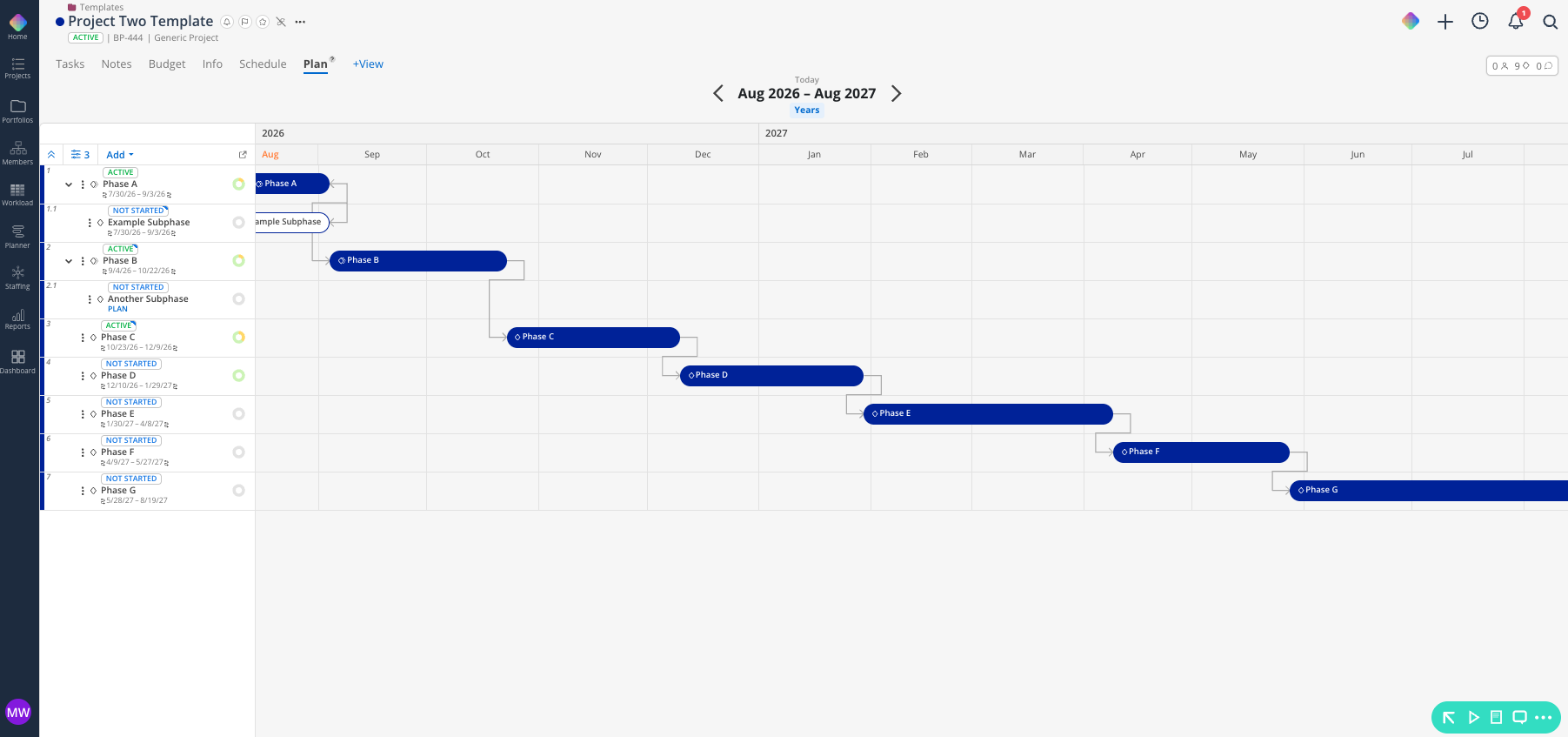
Create a new project to serve as the template. A TEMPLATE - prefix sorts it to the top and keeps it from being mistaken for live work.
Place it in your templates portfolio.
Build the phases your pursuits move through. Go / No-Go, Proposal Development, Pricing and Fee Build, Production and Graphics, Review and Submission, and Interview or Shortlist are common.
Add milestones for the dates every pursuit carries, such as RFP Due, Interview Date, and Award Notification.
Build the task lists that make up your proposal checklist. 👉 Projects Task Lists
Add scope items with estimated hours if your team estimates pursuit effort.
Add member roles rather than named members. The pursuit team often changes every time, while the shape of the team stays the same.
Add a budget with phase fees representing typical pursuit cost if your team prices pursuits up front.
Open the template project.
Click the three dot menu to the right of the project name.
Select Clone Project, then To New Project.
Click Select Portfolio and choose your pursuits portfolio.
Check the items to carry over. A standard pursuit takes Phases and Subphases with workdays, Tasks, Milestones, Notes, and member Roles. 👉 How to Clone a Project
Set the Phase start date to the date the pursuit kicks off. The cloned schedule shifts onto that date.
Click Clone. Larger selections take longer to finish.
The new project arrives in the selected portfolio with a Copy- prefix on the template name. Rename it to the pursuit name and project number right away so the prefix stays out of reports and dashboards.
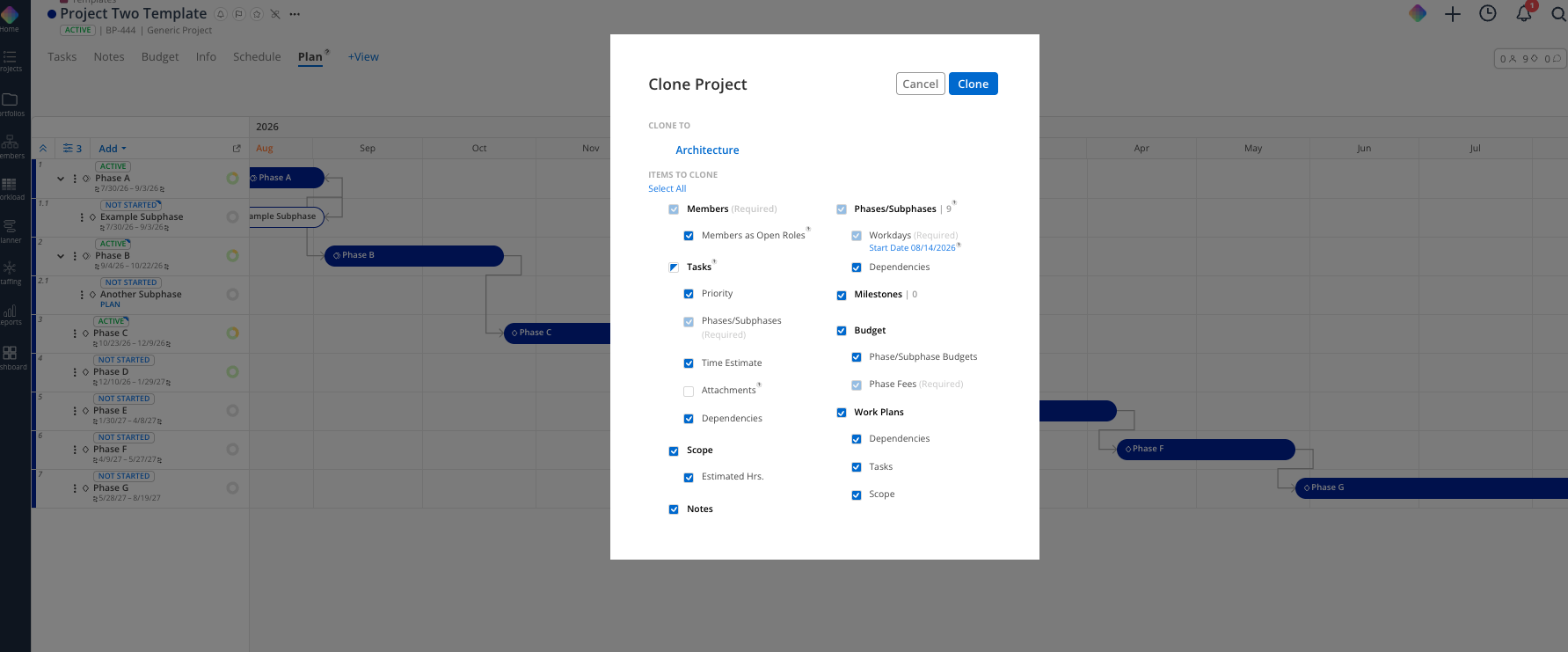
Small or repeat client pursuit. Tasks and Milestones carry the checklist and the dates.
Standard proposal. Add Phases with workdays, Notes, and member Roles.
Major pursuit or public RFP. Add Scope with estimated hours and Budgets.
Re pursuing a job you lost. Clone the original pursuit project instead of the template. It already holds the real scope and effort.
Do this immediately after cloning and before you create any work plans.
Open the new project and go to the Info view.
Set the state to Proposal.
Enter a probability percentage to reflect your confidence that the pursuit converts.
Every work plan created from this point lands as tentative, shown in Workload and Planner as hash marked bars that reviewers can toggle on and off. Work plans that already exist keep the tentative setting they were created with, so setting the state first is what saves you marking plans by hand. 👉 Project Statuses and Stages
Open the Planner space and find the pursuit project, or open Workload and plan against the members you are considering.
Create work plans on the pursuit's phases for the people you expect to need. 👉 Creating Work Plans
Check that the plans render as hash marked tentative bars.
Assign to open roles where the person is still unknown. The demand stays visible while the individual stays open.
Turning the tentative toggle off in a staffing meeting shows committed work. Turning it on adds the pipeline, and the gap between the two views is your staffing risk if the pursuits land.
Build the template with your BD or marketing lead. The proposal checklist already exists in a spreadsheet or in someone's head.
Set the Proposal state before you plan anything. It is the step teams skip most often, and it is the one that makes the tentative view work.
Use probability consistently across the team. A shared convention, such as 25 percent for early, 50 for submitted, and 75 for shortlisted, makes the pipeline view meaningful.
Revisit the template quarterly. If people delete the same three tasks after every clone, take them out.
