
Navigate to the Dashboards space from the sidebar and select the Dashboard to clone.
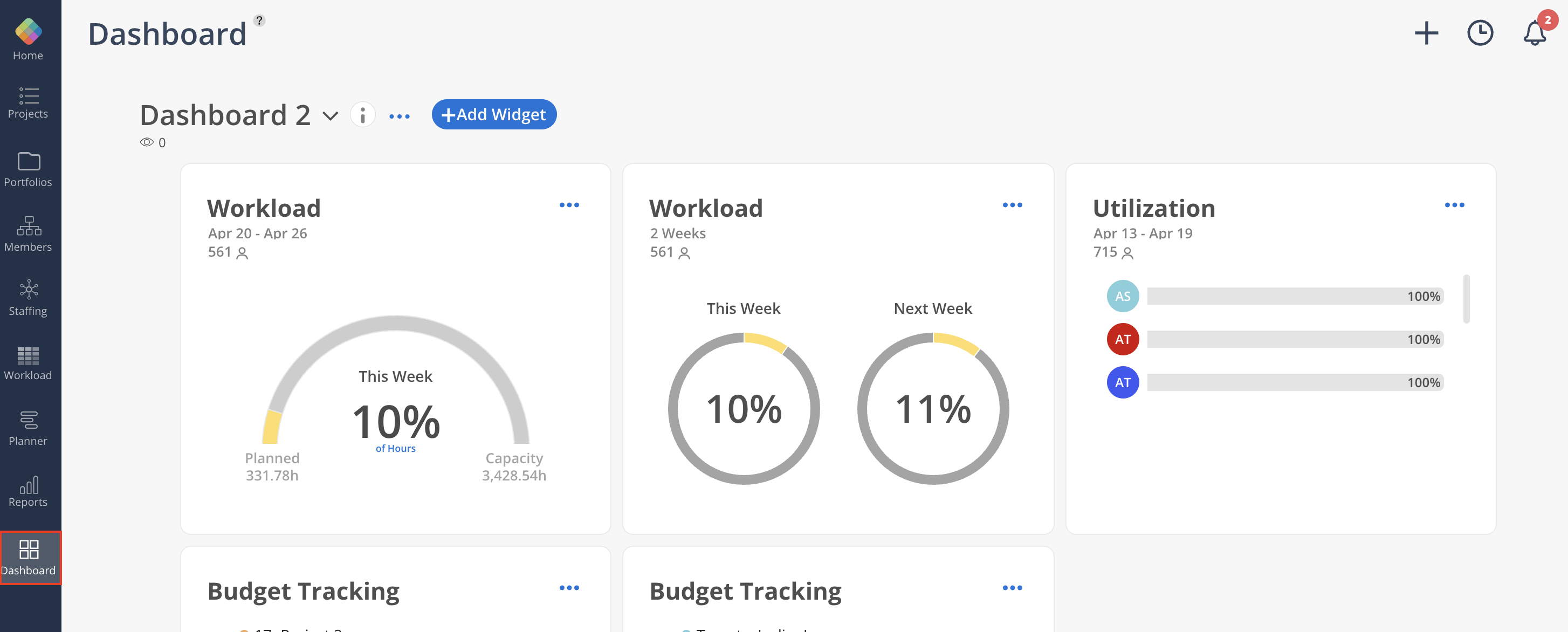
Click the three-dot menu (...) and select Clone. Enter a title and optional description, choose whether to share with the same Members, and click Clone.
 When the option to share it with the same Members is selected, pending (not-yet-activated) Members will be included, while archived Members are excluded.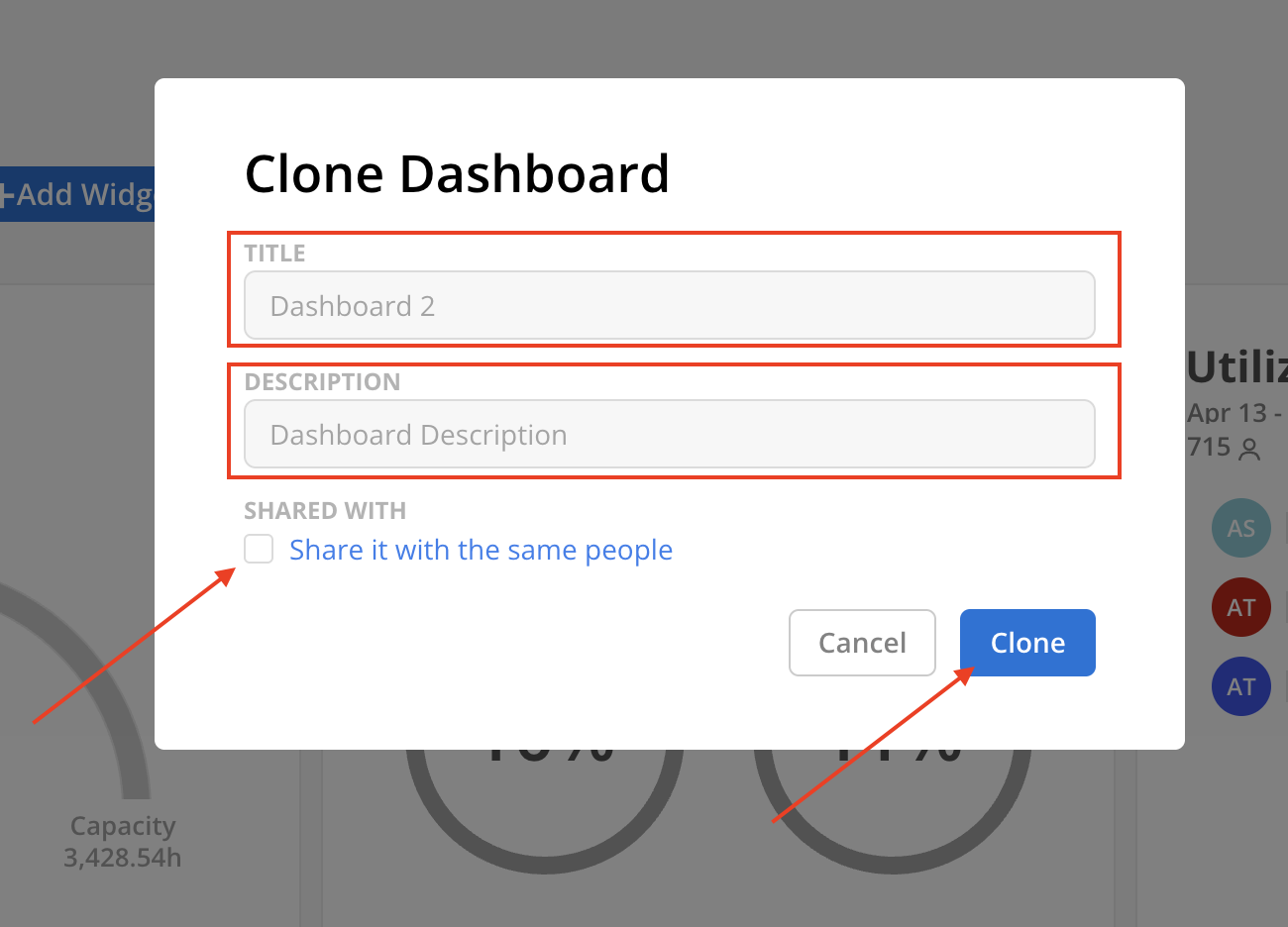
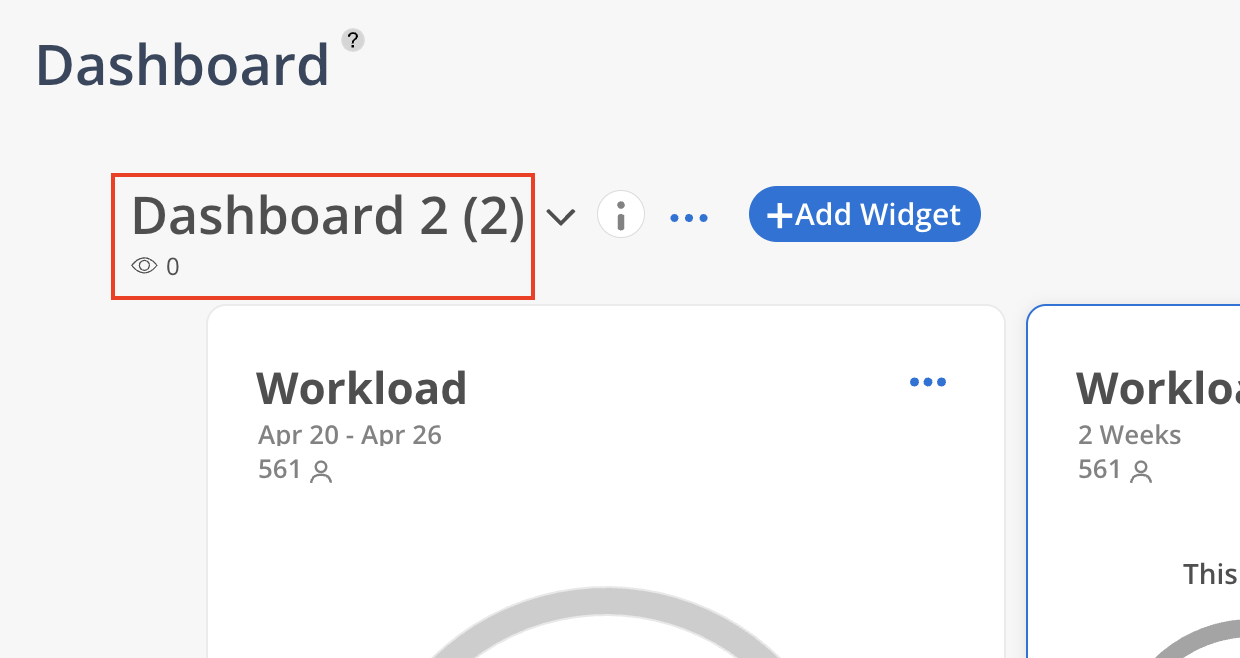
If no title is provided, the current Dashboard name is retained and a number is automatically appended.
How to clone a Dashboard?
Creates a duplicate of the selected Dashboard, preserving its configuration and filters so adjustments can be made without modifying the original.
Did this answer your question?
😞
😐
😁