The Planner Space is Mosaic’s collaborative workspace for viewing and managing project schedules. It gives teams your team a clear visual overview of project timelines, phases, role assignments, and key due dates across all projects - in one place.
By bringing project schedules into one shared view, the Planner Space helps your Team stay aligned on timelines, coordinate work across projects, and update schedules as plans change. Manager better, and manage together.
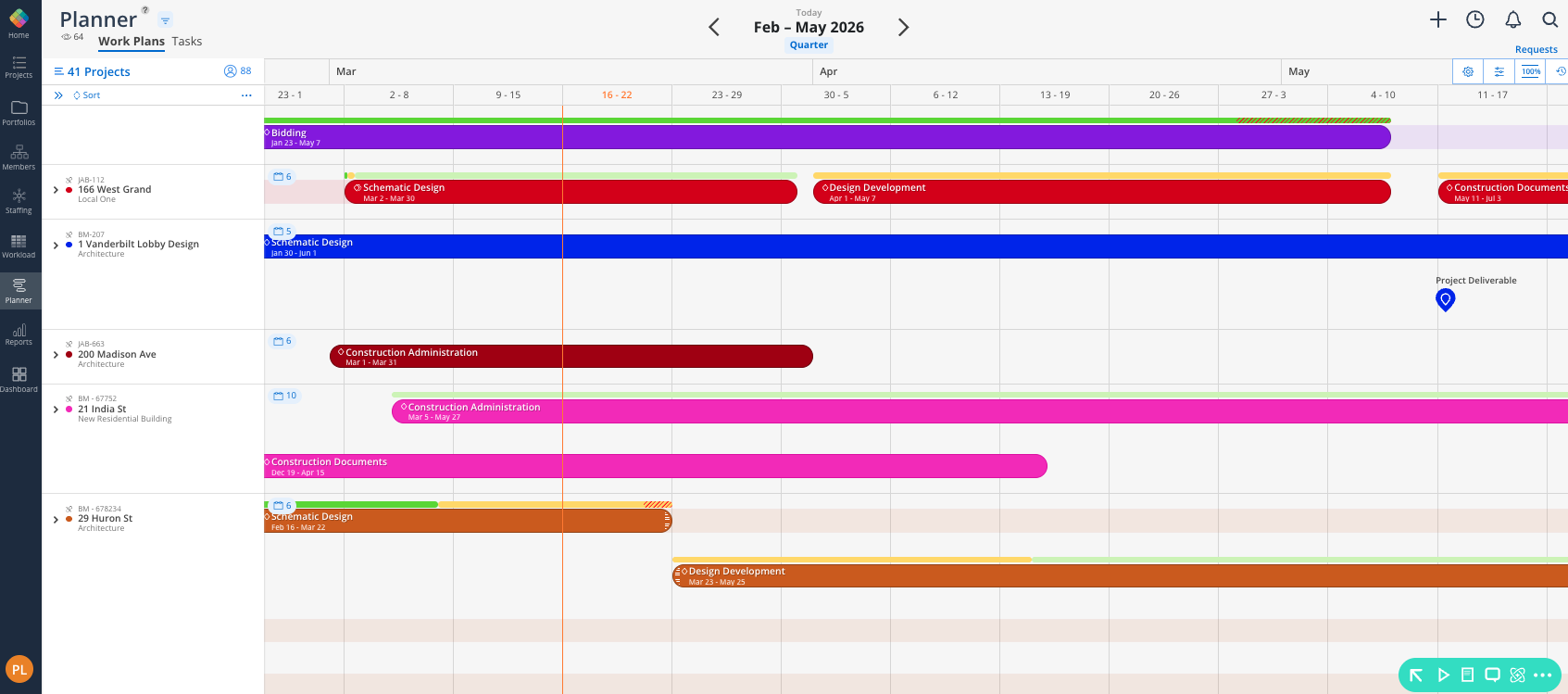
In Planner, you can:
View project timelines across your organization
Track phases and milestones to monitor project progress and key deadlines
See team assignments connected to project phases
Update phase dates as schedules change
Filter the timeline to focus on specific projects, portfolios, or teams

Below you’ll find links to key how-to articles for the Planner Space, where we’ll dive into deeper explanations.
