Planner and Workload Space
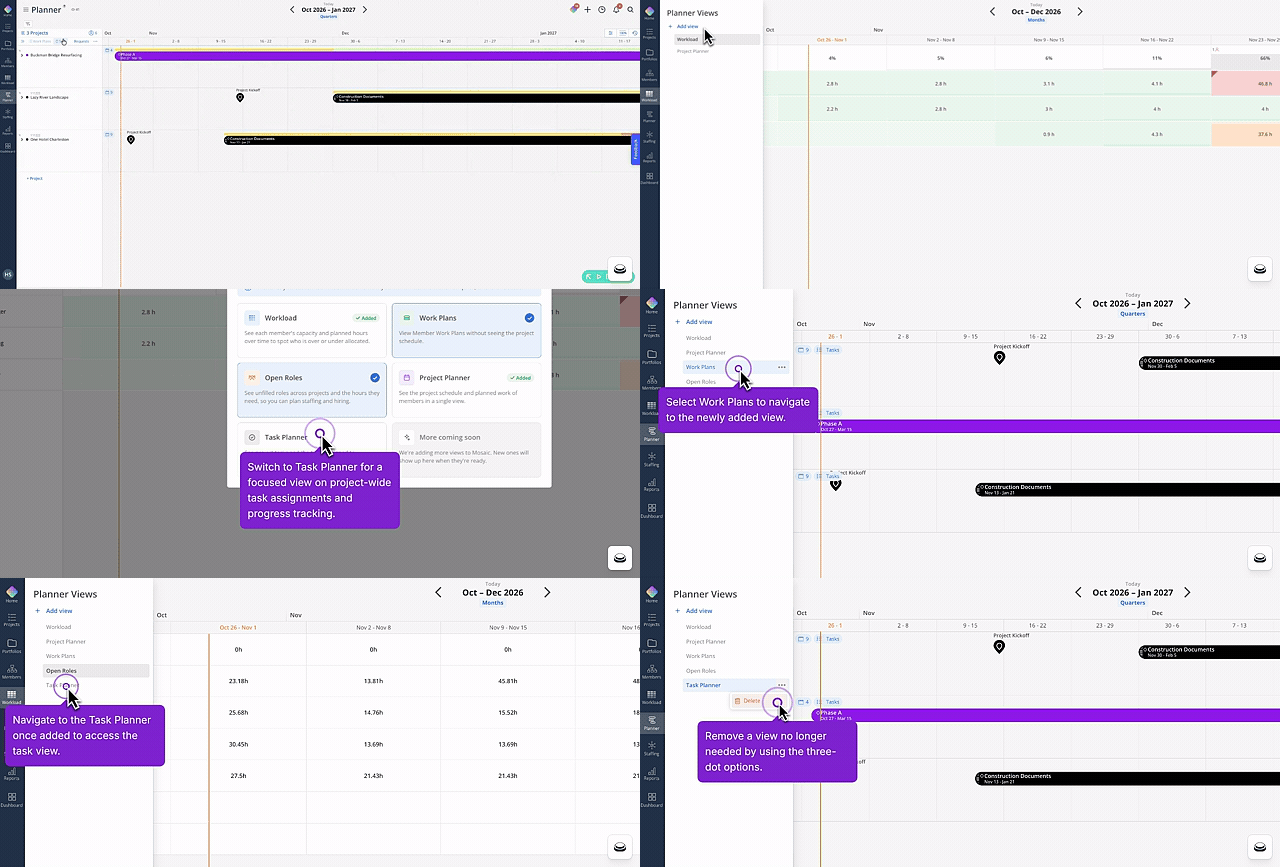
🔹 Switch Views From the Page Title
Planner and Workload now share one views selector instead of separate drop-downs. Click the page title to open it and switch between Project Planner, Task Planner, Workload, Work Plans, and Open Roles, all from the same panel. Your account starts with the two views you already had, Project Planner and Workload, saved and ready to go. Add Task Planner, Work Plans, or Open Roles from that same panel the first time you need them.
Project Space
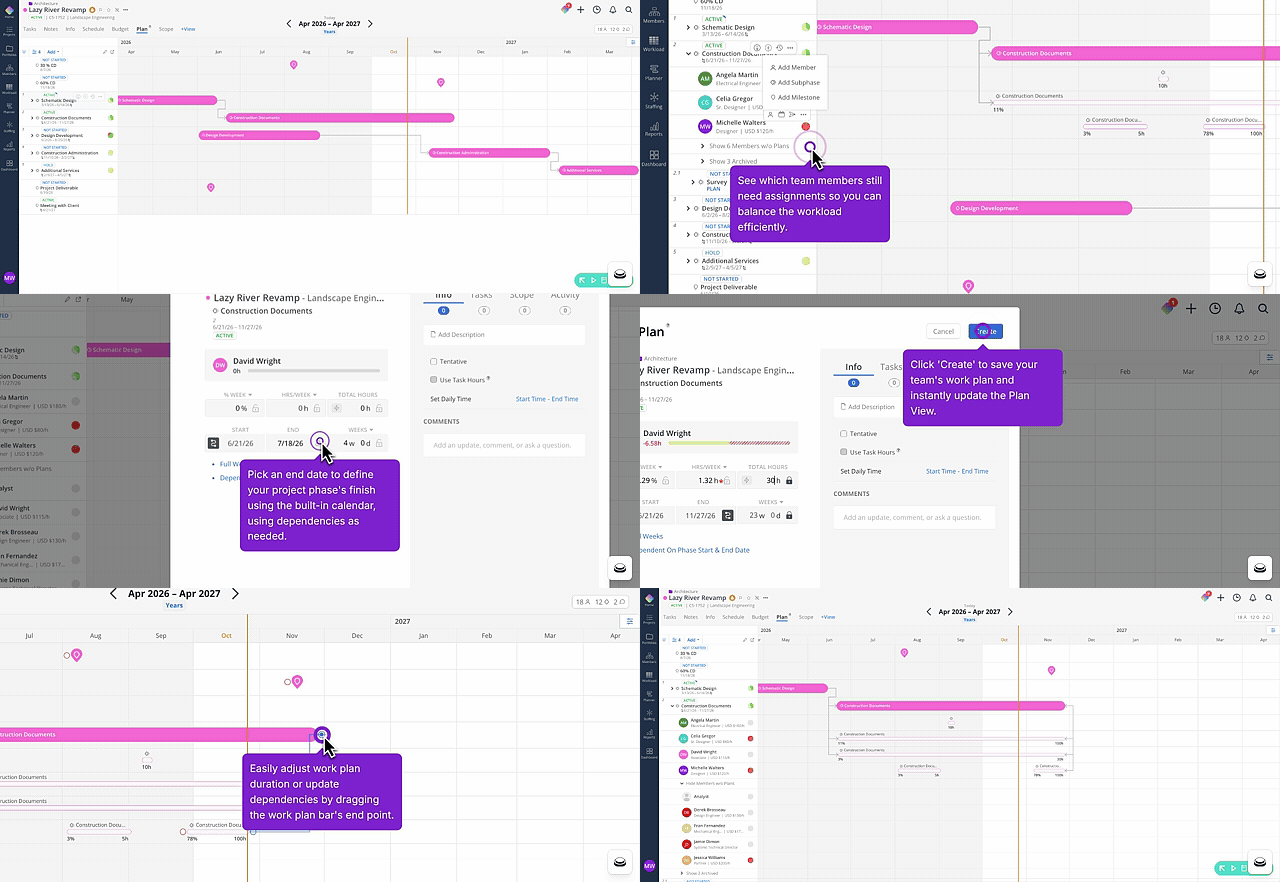
🔹 Work Plans, Accessible and Editable in Plan Space
Work plans now live right in the Plan space, so you can open, review, and edit one without leaving where you’re already planning. Changes save straight back to the work plan, keeping your schedule and your plan in sync. Start by opening a work plan from the Plan space on your next pass through it.