Chello handles two kinds of requests: answering questions about your planning data and making changes to Mosaic records on your behalf. It works from your organization's live project, schedule, and budget data, and it shows you exactly what it's about to change before anything updates.
Topic categories. Staffing, risk assessment, planning review, workload management, upcoming deadlines, insights, and analysis.
Starting questions. Pre-built prompts you can select instead of typing your own.
Text input field. Where you type a question in plain language.
Response area. Answers render as lists, tables, and summaries drawn from your live account data.
Suggested follow-up questions. Chello proposes related questions after each answer so you can dig deeper on the same topic.
Conversation history. Past questions and answers in your session stay visible as you work.
Open Chello and select a topic category, or type your own question directly into the text field.
Review the response. Data renders as lists or tables pulled from your account.
Select a suggested follow-up question, or type a new one, to keep exploring the same topic.
Chello looks up your planning data and runs reports directly in the conversation.
Planning data. Projects, phases, tasks, members, work plans, time entries, budgets, rates, skills, clients, departments, offices, regions, and the activity log showing who changed what and when.
Reports. Utilization, workload, planned and spent time, time variance, budget tracking and variance, profit margin, schedule variance, role demand, backlog, and timesheet status.
Visual answers. Chello renders results as tables and bar charts.
Help center answers. Chello answers "how do I" questions using help center content.
Permission aware. Chello only shows what the person asking is already allowed to see elsewhere in Mosaic.
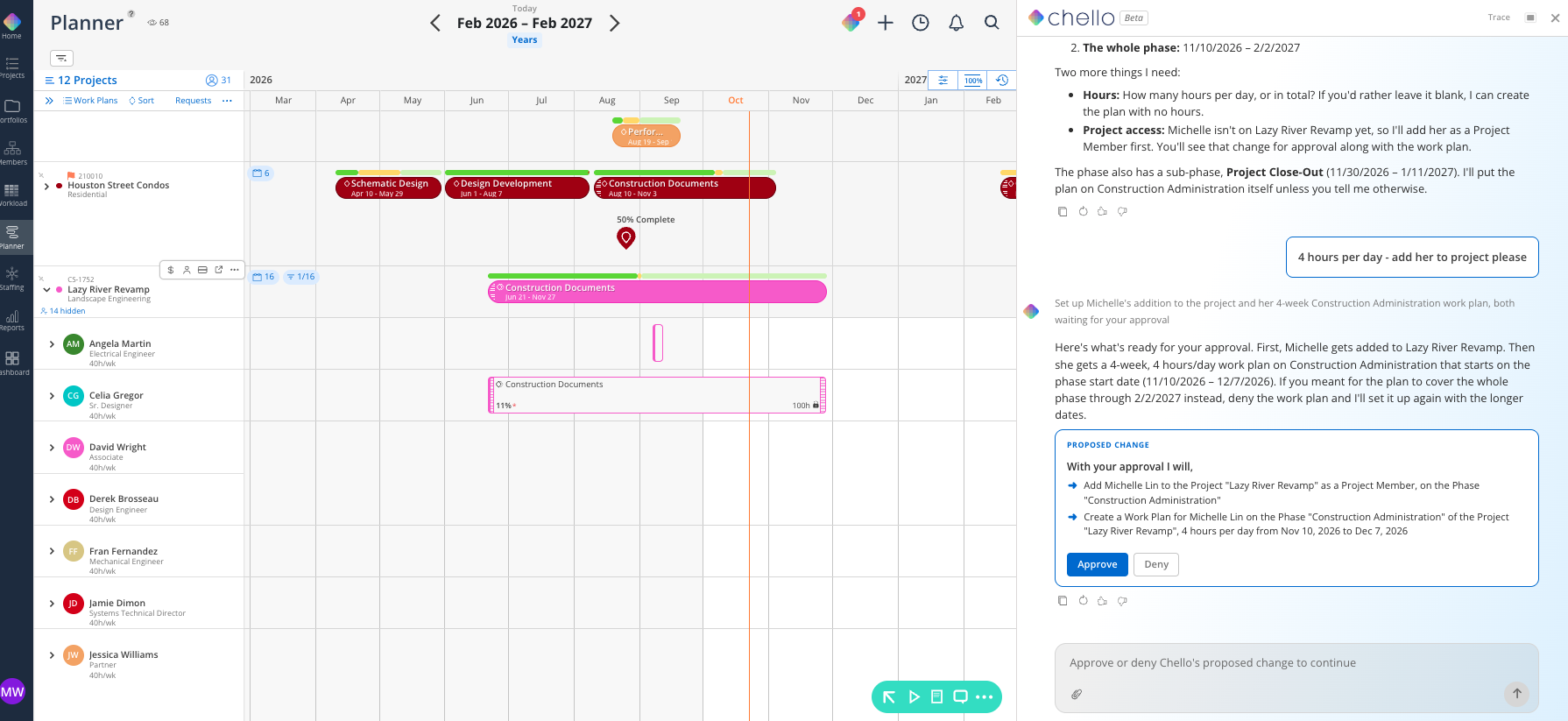
Chello shows a confirmation card before any change goes through. Nothing updates in Mosaic until you click Approve.
Projects and phases. Create, edit, and delete.
Time entries. Create, edit, and delete.
Members. Invite new members, and edit their name and employment type.
Project and phase staffing. Add, edit, or remove people and their project role.
Member budgets. Create, edit, and delete.
Work plans. Create, edit, and delete, including work plan dependencies.
Tasks. Create, edit, delete, and reorder tasks, task lists, and task statuses.
Departments, offices, regions, and disciplines. Create, edit, and delete, and assign them to members and projects.
Roles and portfolios. Create, edit, and delete.
Projects. Clone an existing project.
Rate management. Creating and editing rates, including building rate tables from a CSV.
Billing and invoicing. Visibility into the Billing tab and invoice data.
Approvals. Approving timesheets and work plan requests.
Member capacity and role changes. Changing a member's capacity or job role, and archiving members.
Scope and fee details. Work categories on a phase, project scopes, and project fee totals.
Notes and status updates. Notes, comments, and project status updates.
Additional setup data. Skills, holidays, time off and capacity policies, clients, custom fields, and currencies.
Teams changes. Making changes directly from Microsoft Teams.
More chart types. Visualizations beyond bar charts.
Memory visibility. Letting people see or edit what Chello remembers about them.
