
The Assigned By Me widget shows all tasks you have personally created and assigned to other team members. It is the accountability view for PMs and team leads — you can see which tasks are complete, which are still open, and who is responsible for each, all without navigating into individual projects.
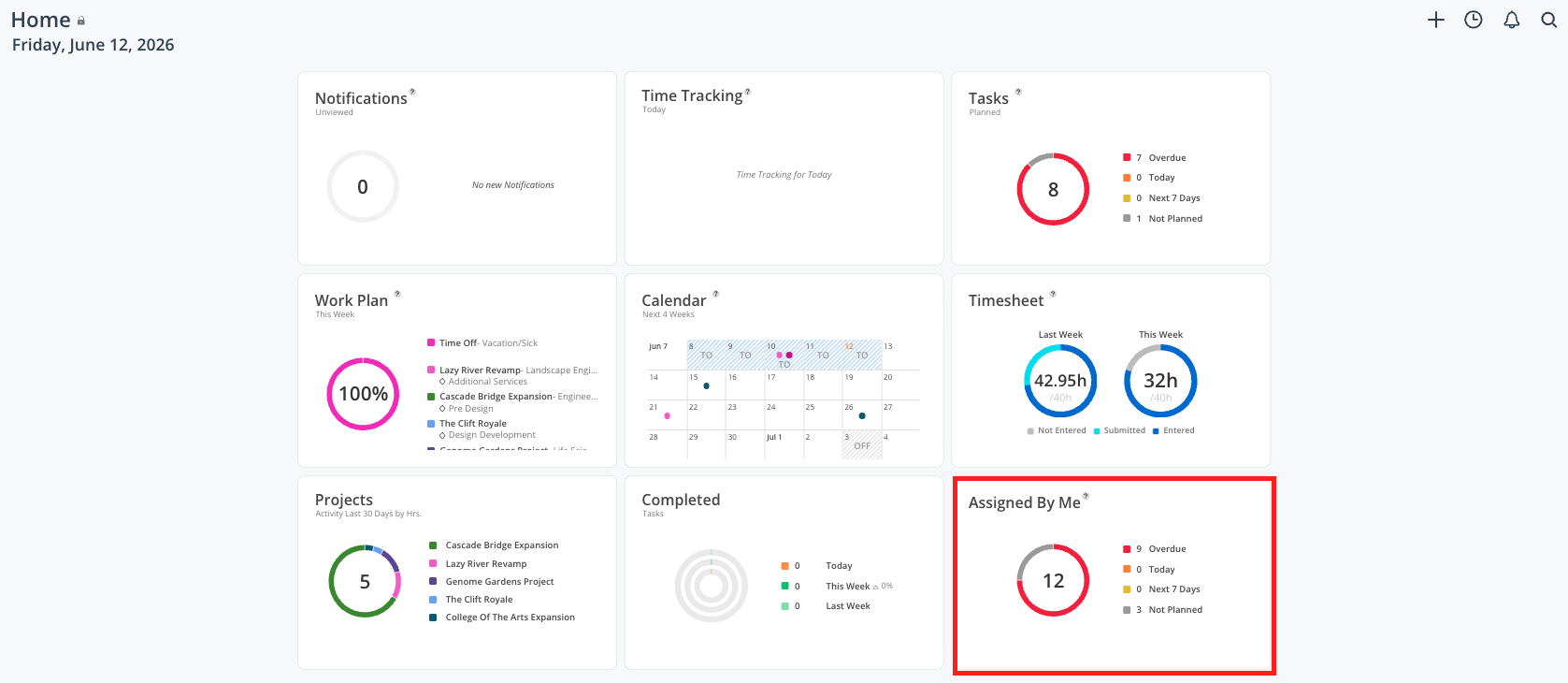
This is the best place to go when you want to:
See the status of every task you have assigned across all projects
Follow up on an open task without emailing or messaging someone
Leave a comment on a task to ask for an update
Confirm that a task was completed by the person you assigned it to
What you see
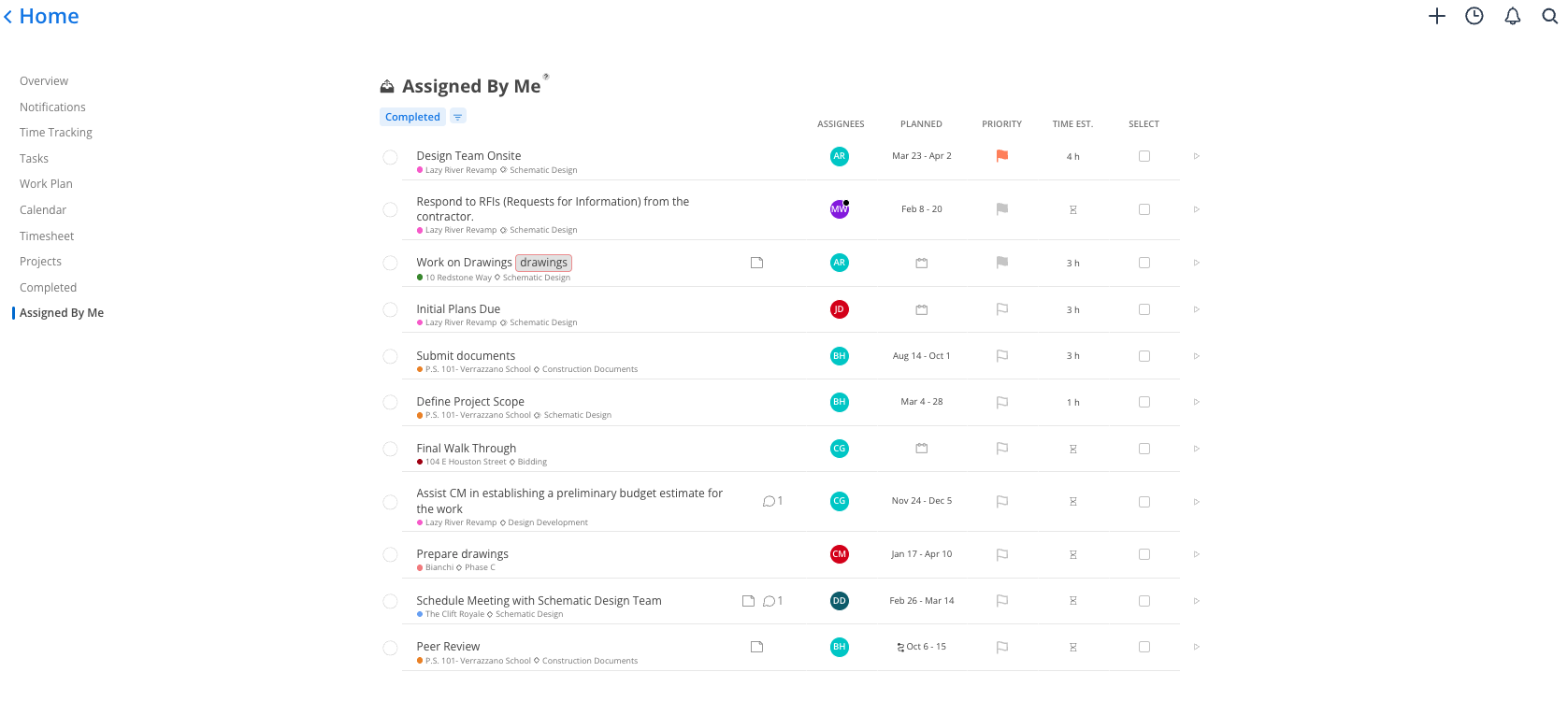
The Assigned By Me widget shows:
Task name
Project and phase the task belongs to
Assignee initials — the team member(s) you assigned it to
Date range for when the task is due
Completion status — whether the task is still open or has been marked complete
Sticky-note icon if there are notes or comments on the task
How to follow up on a task
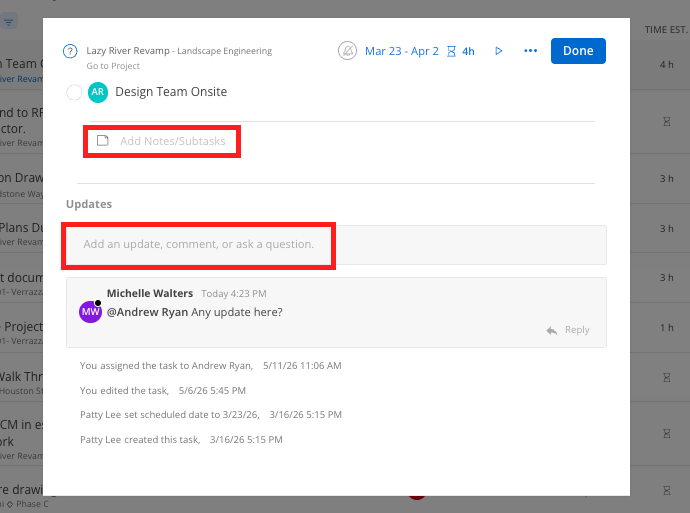
Click the sticky-note icon on any task to open its detail panel.
Leave a comment and @mention the assignee — they will receive a notification.
Review the activity log to see if the task has been updated recently.
Best practices
Use this instead of status update emails — Leaving a comment on the task creates a trackable record of the conversation and notifies the assignee directly. It is faster and keeps context in one place.
Check it at the start of a project review — Scan for anything overdue or not yet started before a team meeting so you can address blockers in real time
Completed tasks from assignees also show here — You will see when someone has marked your task complete so you know it is done without needing to ask