The Projects widget shows every project you are a member of that is considered active — meaning it has had time entries sync in recently or has work plans scheduled in the coming weeks. It is a quick reference view of your current project load without needing to navigate into the Portfolios Space.
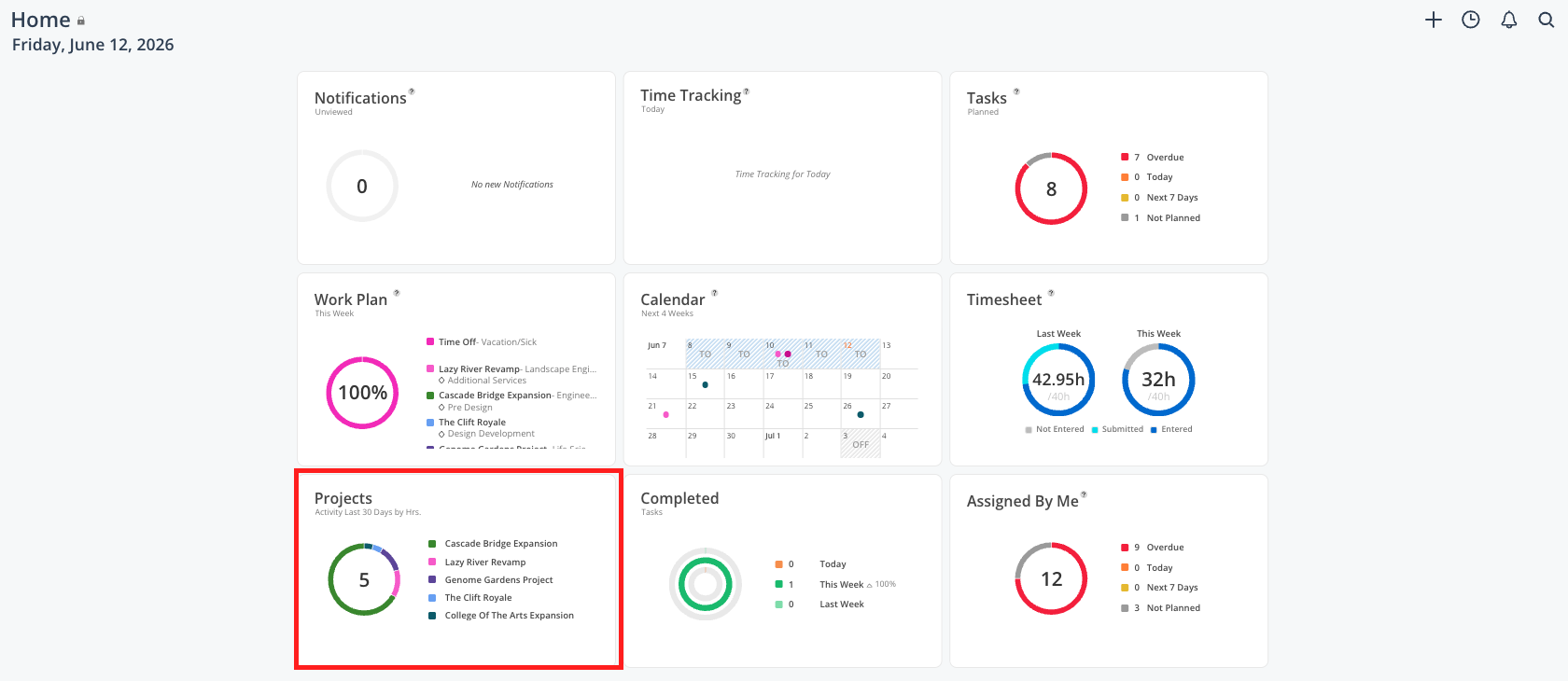
See all the projects you are currently active on in one list
Quickly navigate into a specific project
Filter your project list down by portfolio, status, or phase
See which projects have the most recent activity
Review phase-level detail for a project without opening its full space
The Projects widget on your Home Space shows a compact summary of your active projects with their name, reference number, and portfolio.
When you click into the full widget view:
Each project row expands to show phases and sub-phases with their status and date information
Users with elevated access see activity bars — green shows spent time in the last 6 weeks, yellow shows planned time in the next 2 weeks
A filter icon lets you narrow the list
A floppy disk icon saves your current filter so it persists the next time you log in
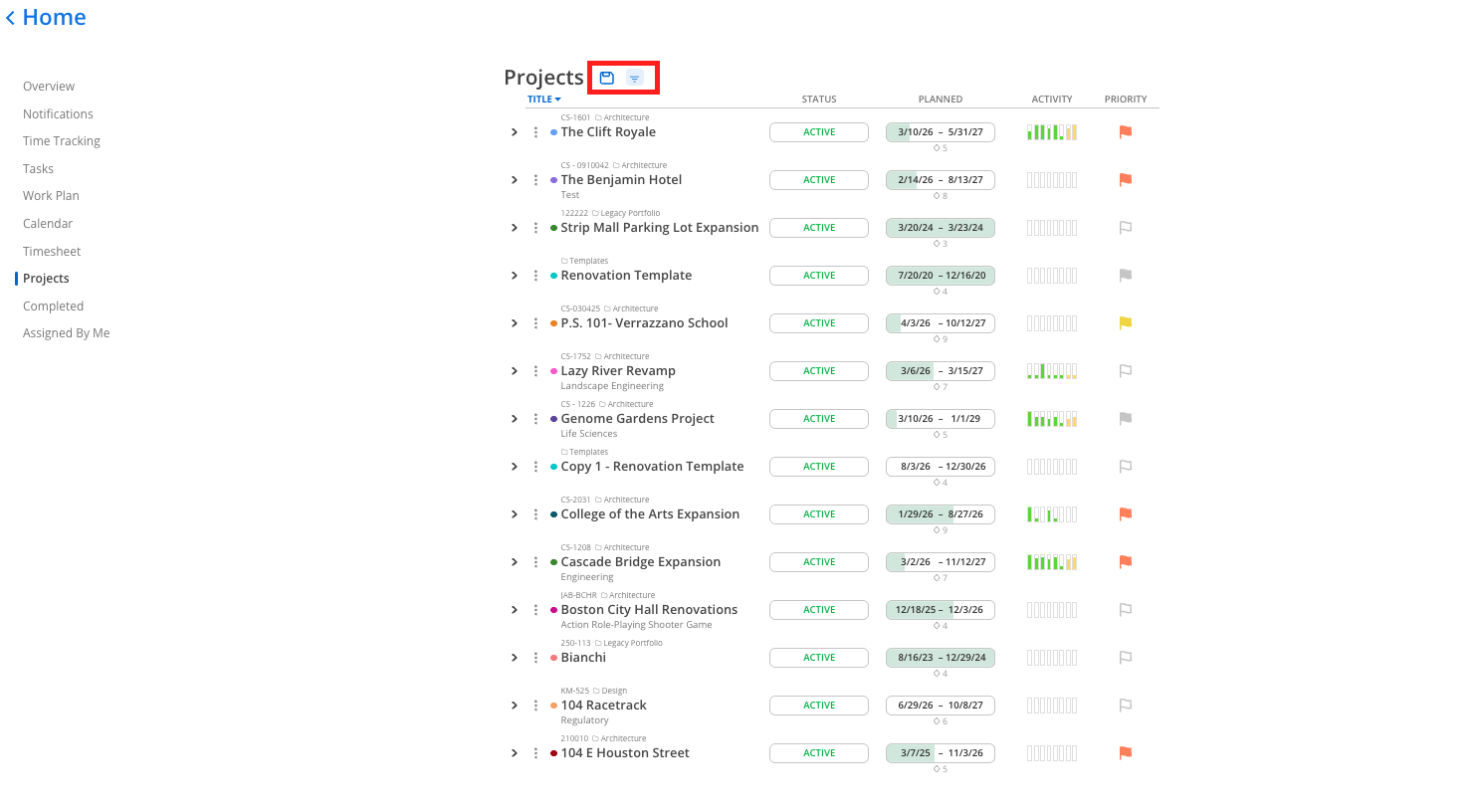
A project appears in this widget if it meets either of these conditions:
It has had time entries sync in recently (spent time in approximately the last 30 days)
It has work plans scheduled in the next two weeks
Projects that do not meet either condition will not appear here, even if you are a member.
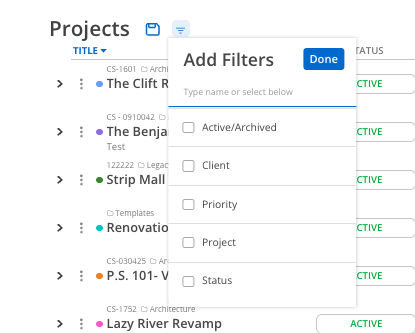
Click the filter icon at the top of the projects view.
Filter by portfolio, project status, phase, or other available attributes.
Click the floppy disk icon to save the filter so it is applied automatically next time you open the widget.
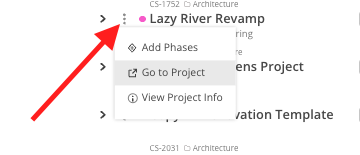
Click the three dots next to any project’s name in the list to open that project's space directly. From there you can access the full schedule, tasks, notes, members, and budget (depending on your access level).
Save a useful filter — If you always want to see only projects in a specific portfolio or status, save that filter using the floppy disk icon so you do not have to re-apply it every session
Use this for a quick daily check-in, not deep project management — The full project schedule and phase management tools live inside each project's space. This widget is best for a fast overview and navigation.
If a project is missing, check your membership — If you expect to see a project here and it is not showing, it may not have any recent time entries or upcoming work plans, or you may not yet be listed as a member
