Mosaic just got a fresh new look! You'll see the updated icon across the app.

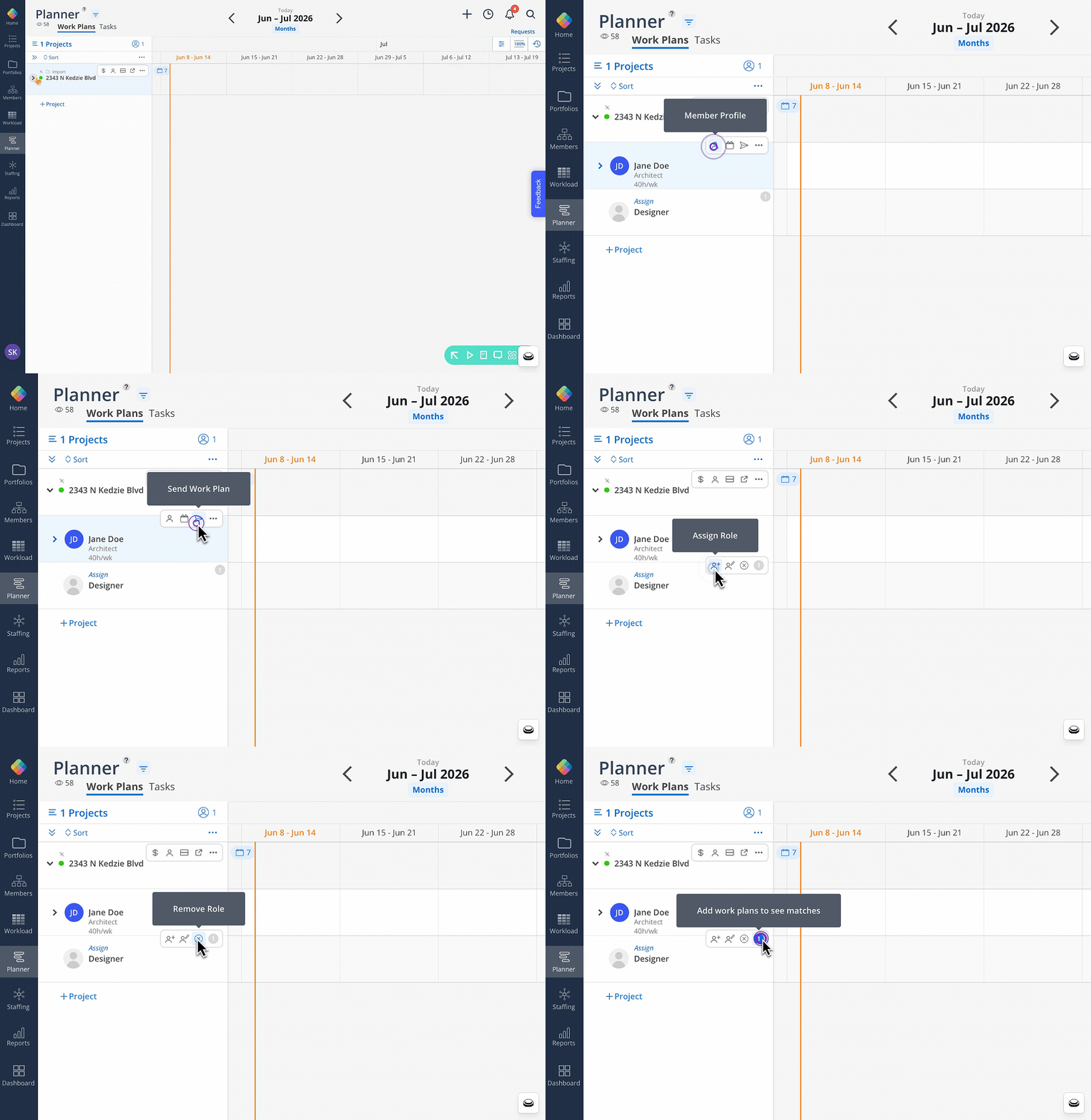
🔹 Action Bar on Member and Open Role Rows
Quicker accessibility on the functions you use most in the Planner view. A new action bar will appear when hovered over a member or open-role row. Now these options are one click away without hunting through a dropdown.
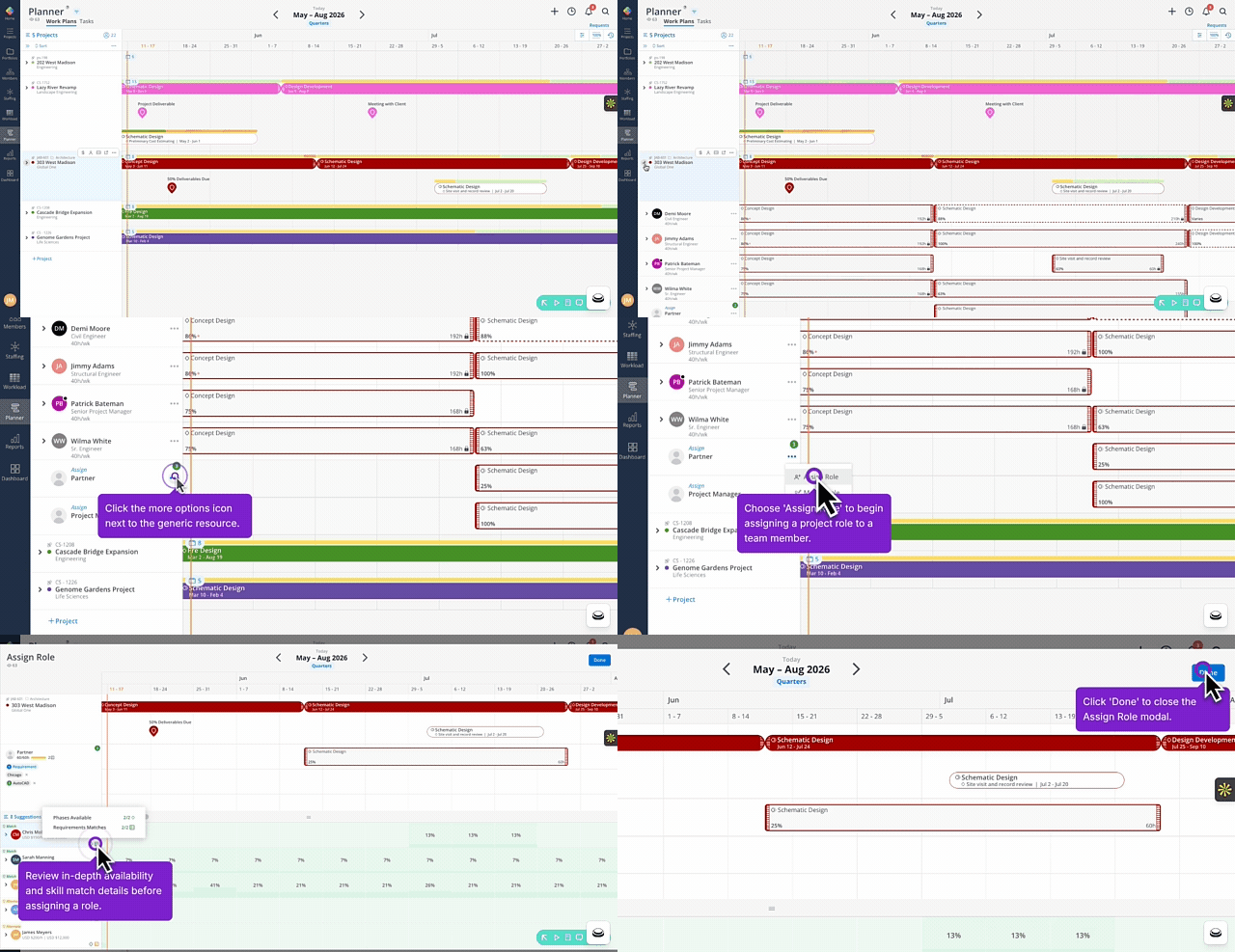
🔹 Generic Roles With Smart Suggestions
Smart suggestion icons now appear when assigning generic resources in the Planner, surfacing member recommendations based on availability, skills, and budget impact all in one place.
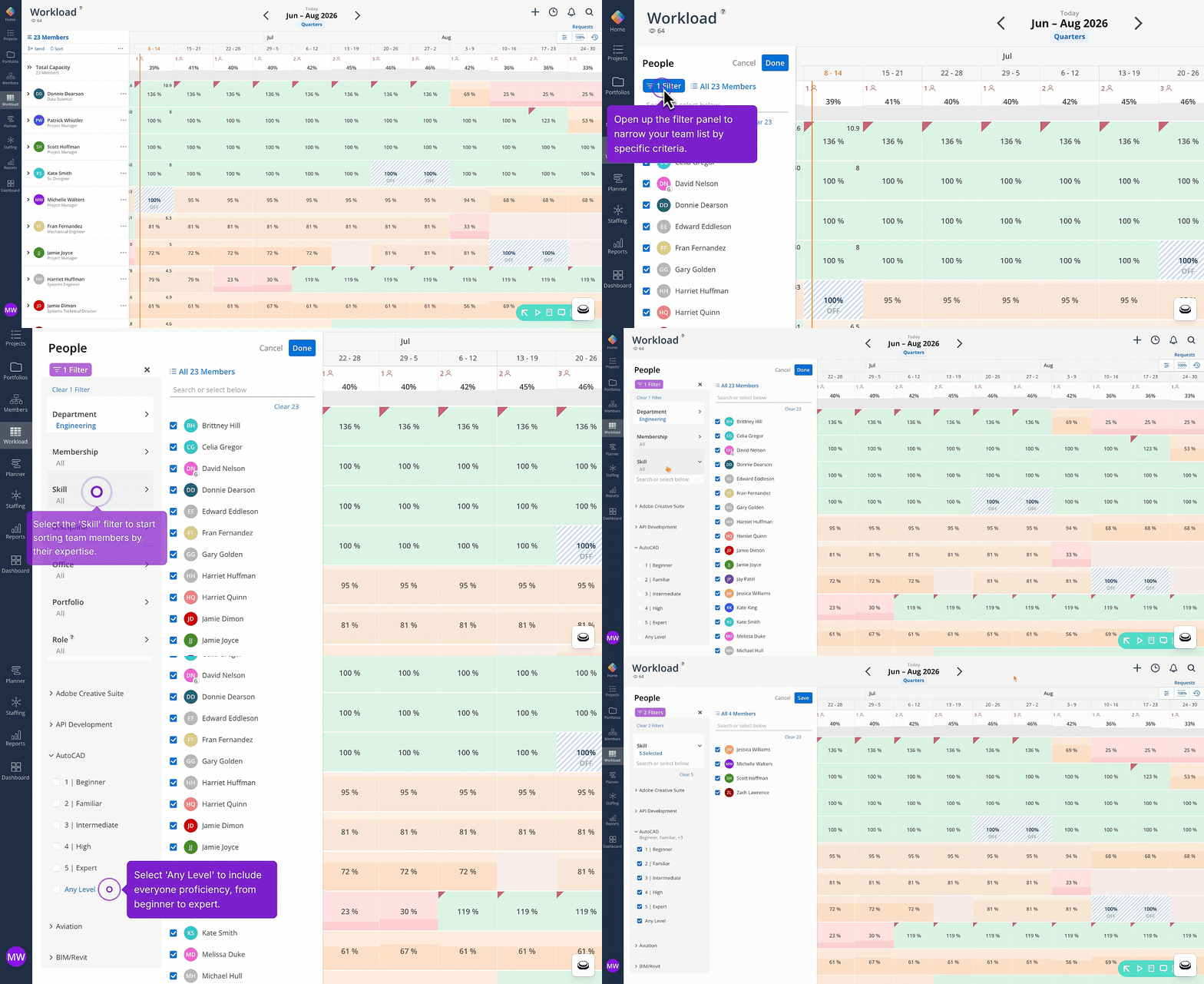
🔹 Filter Members by Any Skill Level
A new "Any Level" option now appears at the bottom of each skill's proficiency list in the member selector. This lets you quickly select or deselect all levels for a given skill in one click, rather than checking each level individually. This is also available in the Reports filter by member.
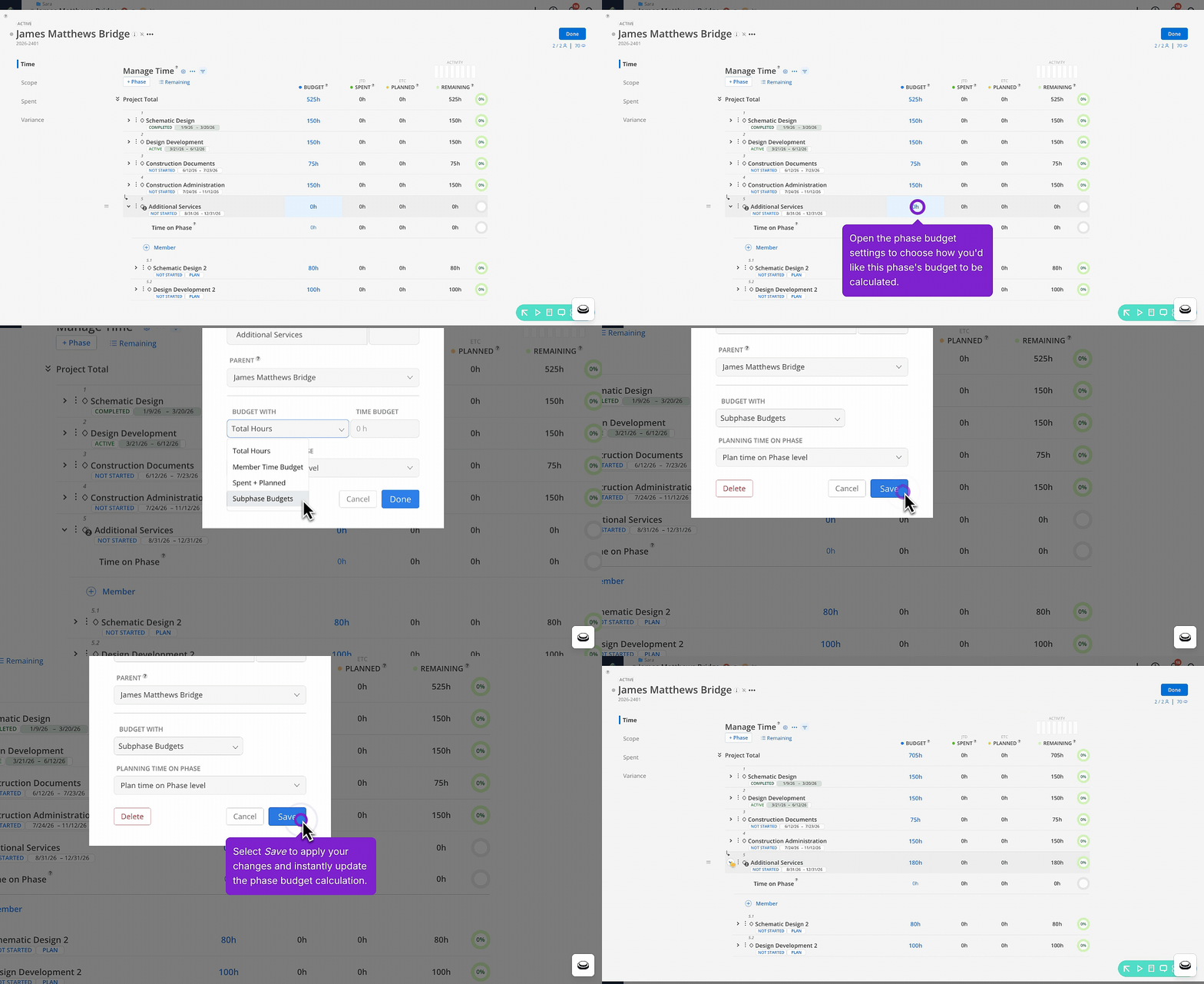
🔹 Set Phase Budgets with Subphase Roll-up
Teams set to hours-only can choose the option to allow subphase budgets to roll up automatically to the parent phase.
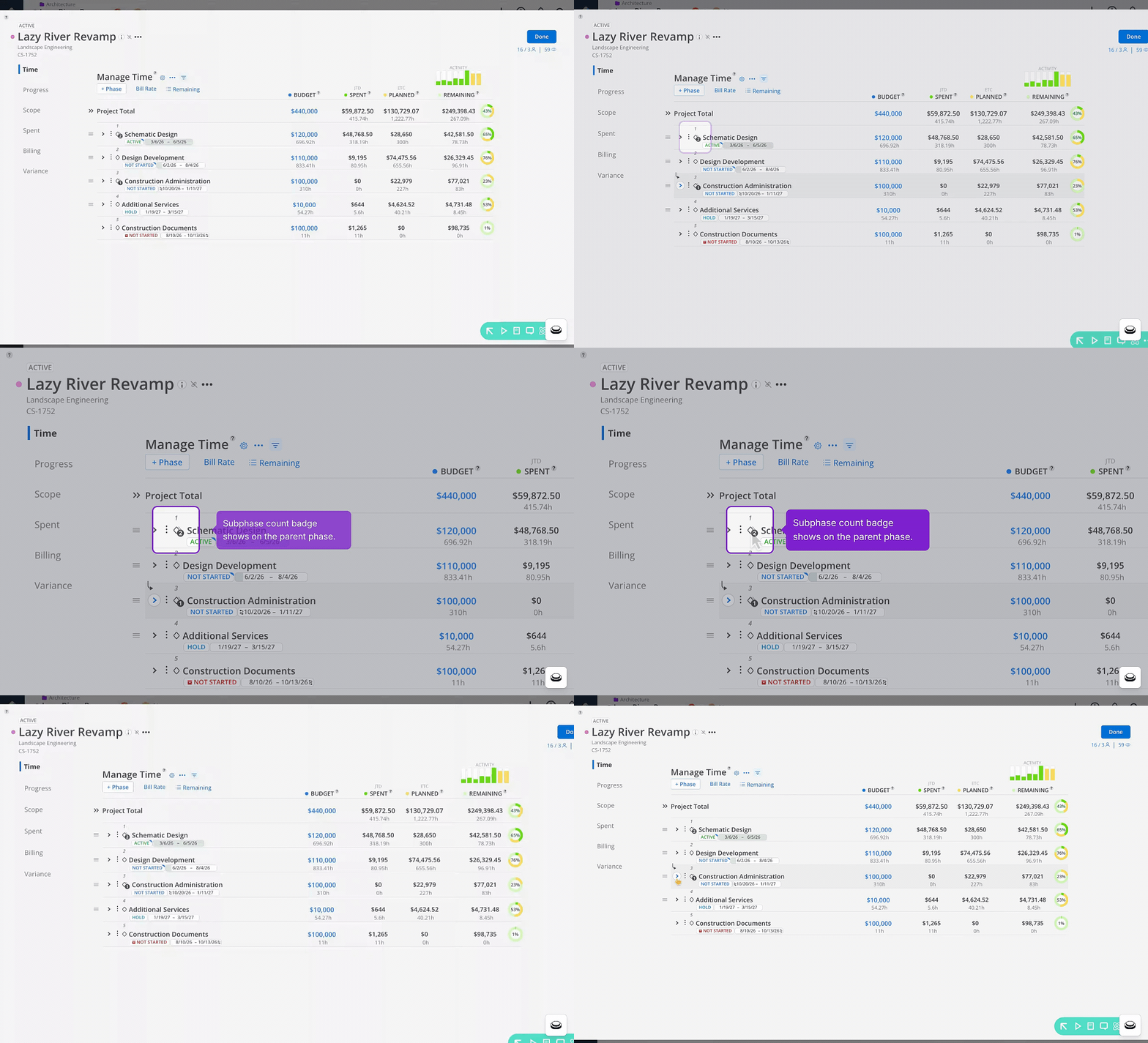
🔹 Easily See Subphase Count on Parent Phase
A number badge will indicate the amount of subphases nested under a parent phase in the budget space. Phases without subphases stay clean with no badge shown.
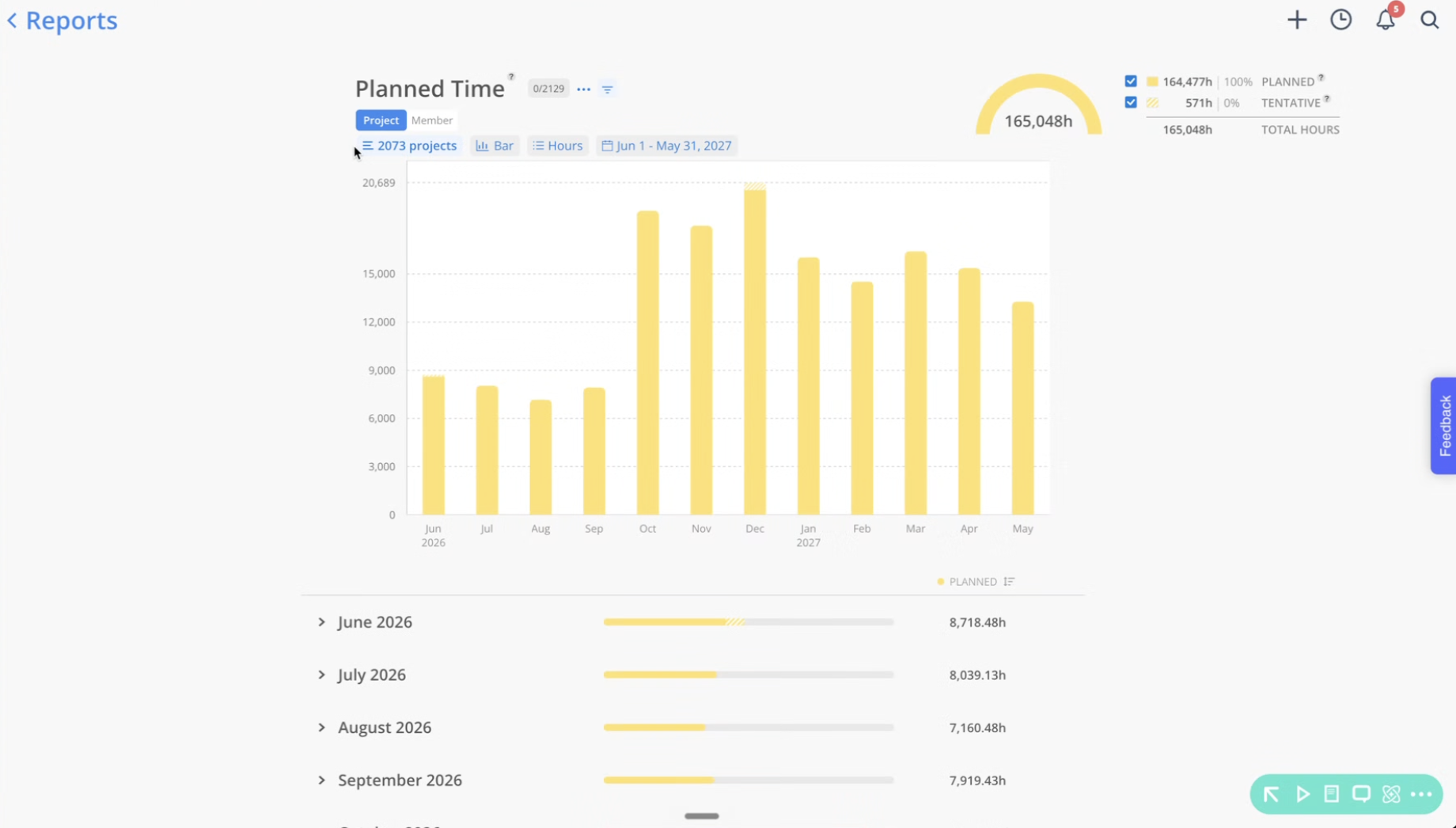
🔹 Planned Time Report - View Planned Time by Month
The Planned Time report “Bar” view now provides a monthly breakdown of planned time underneath the bar chart. The view refreshes and collapses automatically when you change units, rate, or date range. Expand each month row for full details of planned time.
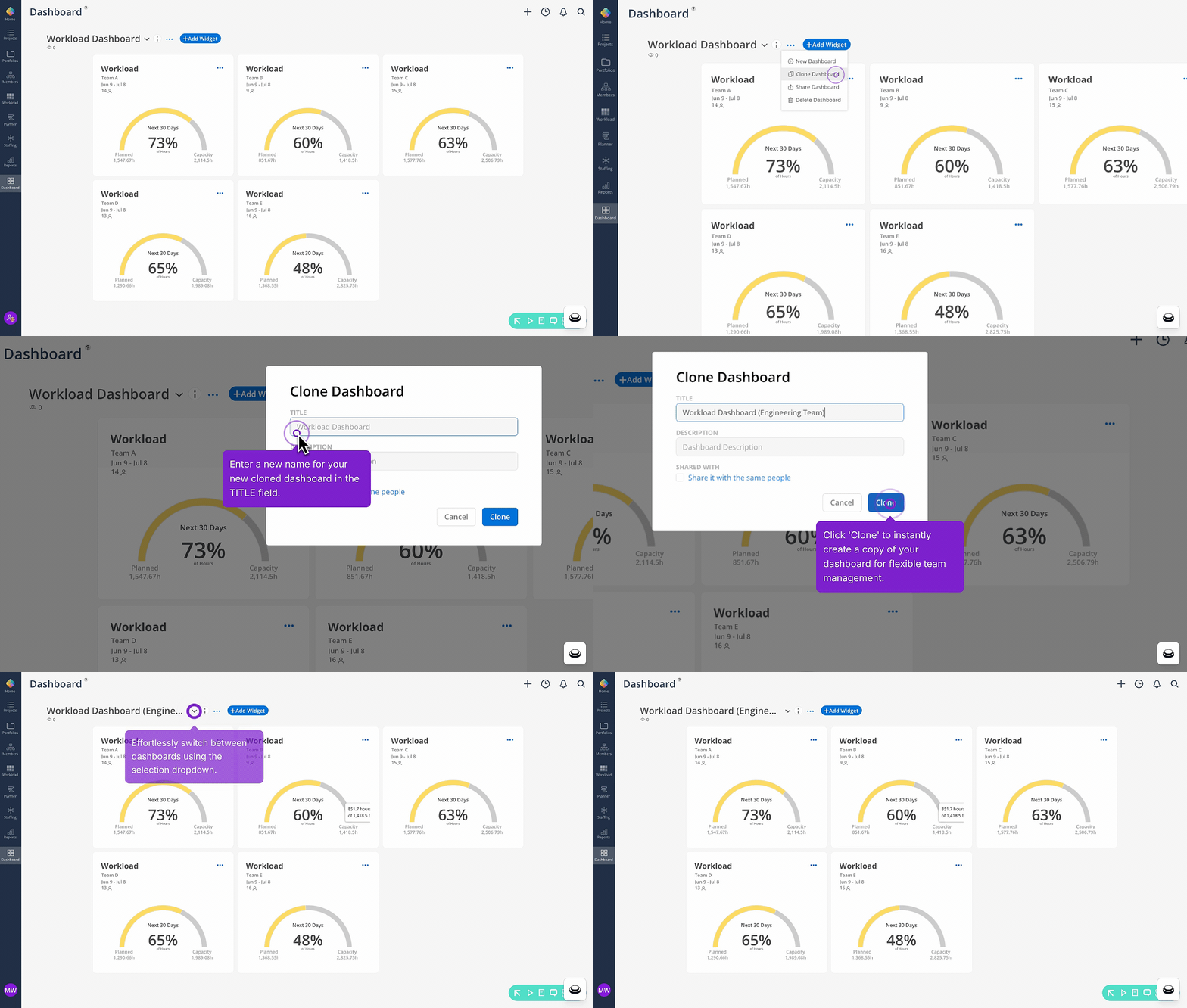
🔹 Clone a Dashboard with Ease
You can now clone any dashboard directly from the three-dot menu, carrying over the title, description, and member sharing in one step. No more rebuilding similar views from scratch — duplicate what's working and pick up right where you left off.
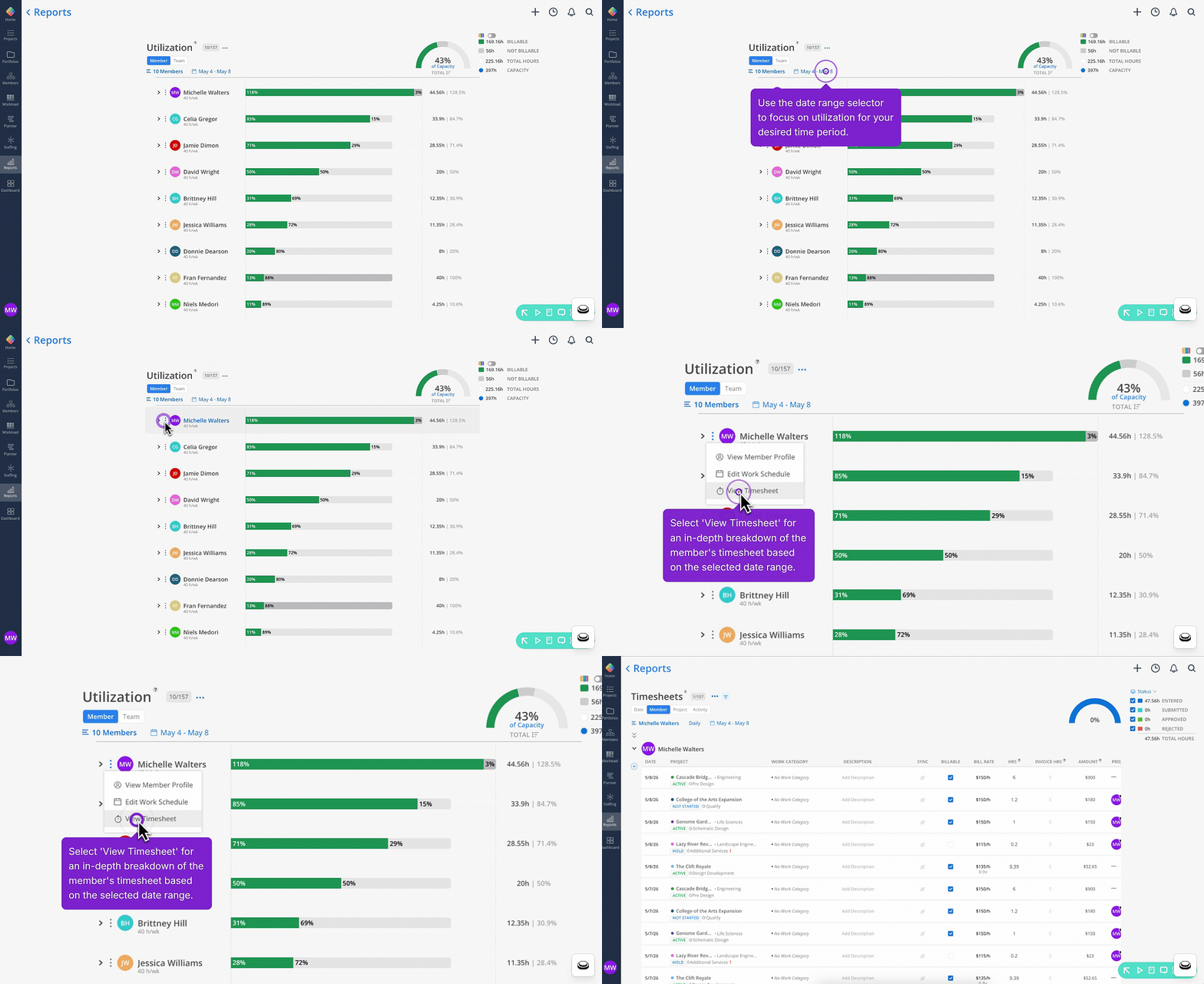
🔹 Utilization Report - You Can Now Quickly Access Member Timesheets
From the Utilization report, you can now open any member's timesheet directly from their three-dot menu. The timesheet opens in a new tab pre-filtered to that member and the report's date range.