
Overview
The Skills Report allows you to assign and view skill ratings for members based on their role. Skills must be configured in admin settings.
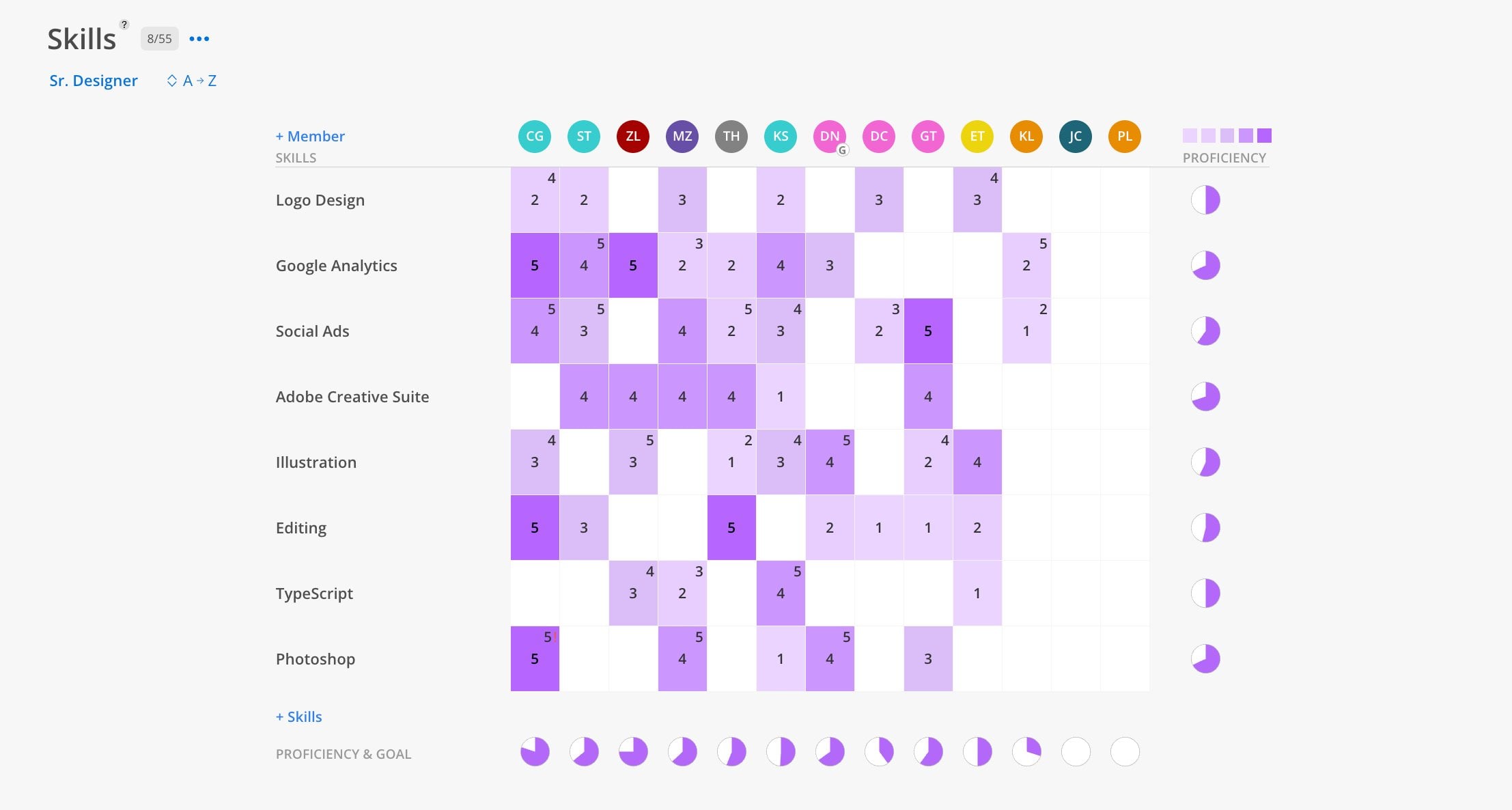
When To Use This Report
Use the Skills Report when you need to answer: "Who on my team has a specific skill, and how proficient are they?" This report is useful for larger organizations that need to track specialized capabilities — such as AutoCAD, Revit, or specific certifications — across many team members. It helps when staffing a project that requires a particular expertise level.
What You See
The Grid
Role grouping — members are grouped by their default role (e.g., Sr. Designer)
Skill grid — a matrix of members (columns) and skills (rows)
Proficiency ratings — 1 to 5 scale in each cell. Darker shading = higher proficiency.
Goal indicator — a smaller number above the rating showing the target goal for that skill
Proficiency gauge — a half-circle at the bottom of each member column showing their overall proficiency
Controls
+ Skills link — add new skill categories to the grid
+ Member link — add members to the current role view
Sort toggle — sort members A to Z or Z to A
How To Use This Report
Click Reports > Skills.
View members organized by role.
Review skill ratings for each member.
Skills are configured by admins in the organization settings. If no skills have been set up, this report will be empty.
Tips
Use alongside member filters in other spaces — If you need someone with a specific skill, filter by that skill in the Workload or Planner spaces to find the right person for a project.