Time Off plans ensure the team has visibility into when members are unavailable. Company-wide holidays are configured by your admin and appear automatically. Personal time off is entered the same way as a work plan, using the built-in Time Off project.
Time off plans are not a replacement for your HR time-off system. They exist in Mosaic to provide visibility for capacity planning purposes.
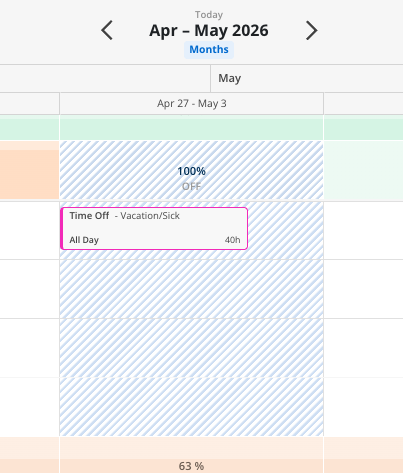
Time off bars — Appear as distinct work plan bars labeled "Time Off" in the member's row
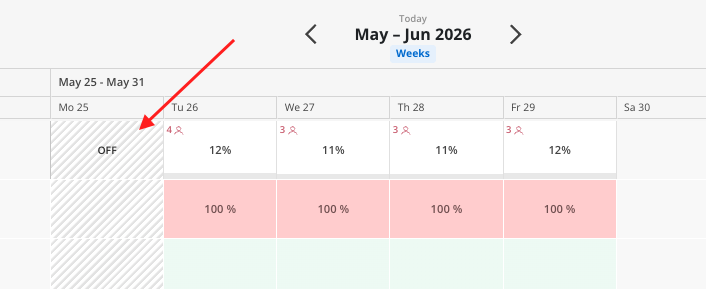
Company holidays — Appear as a gray line across all member rows on the holiday date
Calendar indicators — When creating a work plan, holiday dates show as unavailable in the date picker
Click into the member's row in the Workload space.
Click the plus (+) icon on any blank cell.
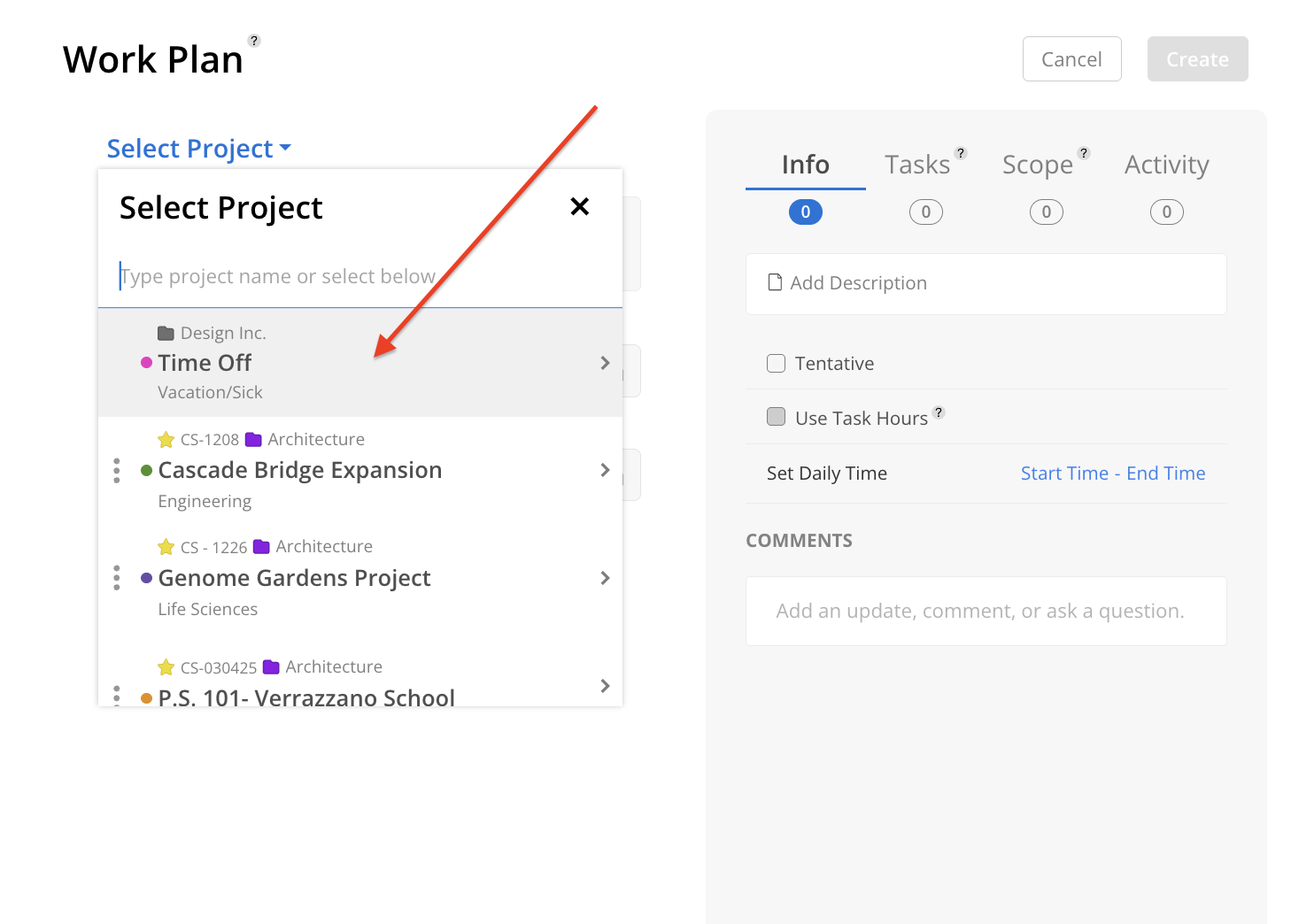
Instead of selecting a project, choose Time Off — it is the first option in the project list.
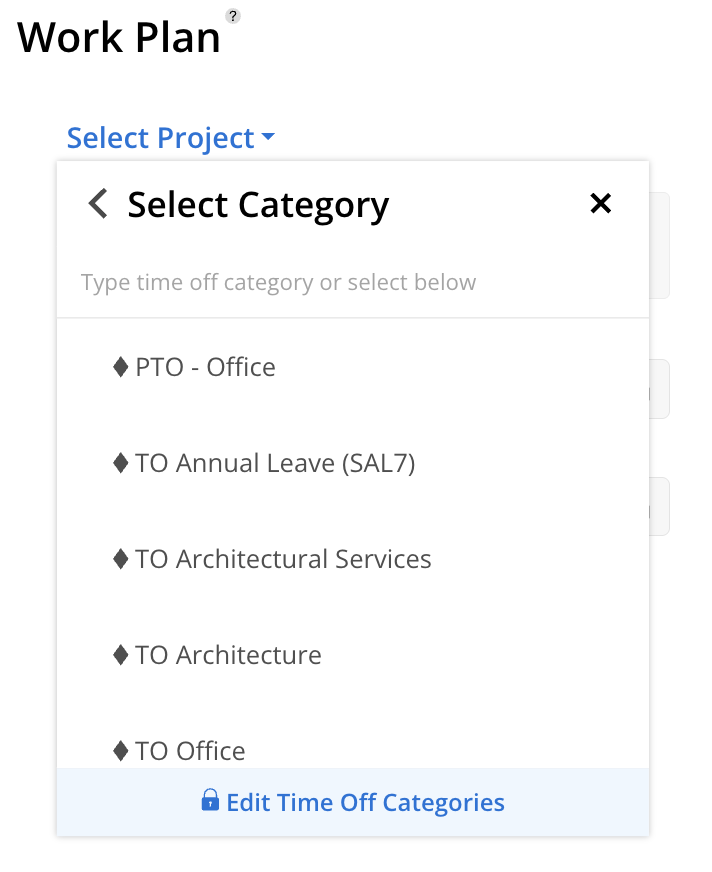
Select the applicable Time Off Category for your work plan. These are set in your Organization Settings by your Account Admin. Read more about that here.
By default, time off is set to All Day. To log partial-day time off, deselect the all-day checkbox and enter the number of hours.
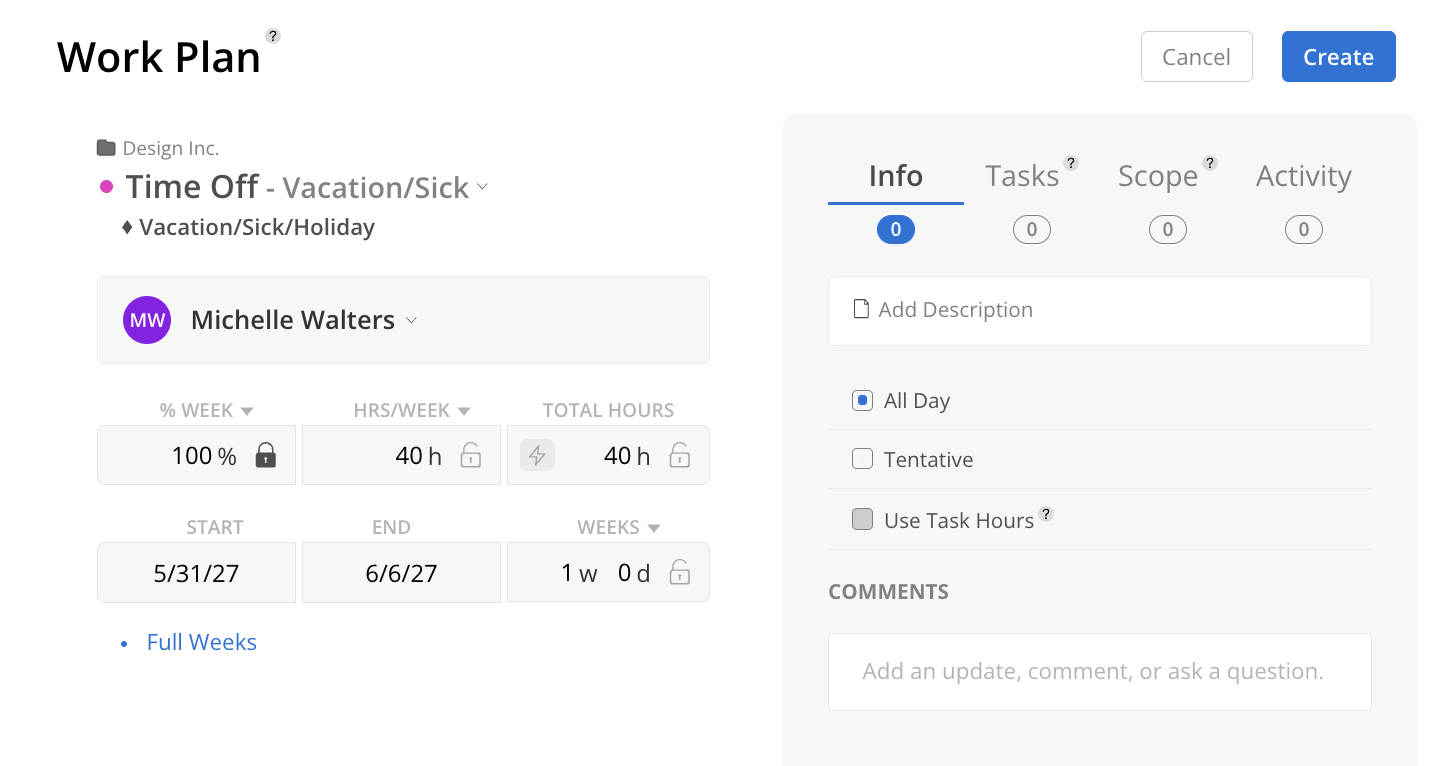
Set the start and end dates.
Click Create.
If a time off plan overlaps with an existing work plan that has no dependencies, the work plan shifts out to the first available date after the time off ends.
If you delete the time off, the work plan shifts back to its original position.
If a work plan has dependencies set to a phase schedule, it will not automatically shift.
Time off that falls in the middle of a work plan visually splits the plan around the time off period. The plan is not actually split — it just displays with a gap.
Company-wide holidays are managed by the admin in the organization settings. They appear as gray lines in the timeline for all members. Holidays automatically reduce member capacity for that day.
Enter PTO early — Adding time off in advance helps the team plan around your absence
Base members can add their own time off — Even without access to the Workload space, members can log time off from their Home space
Check for holidays when planning — The calendar picker shows company holidays so you can avoid scheduling work on those days
