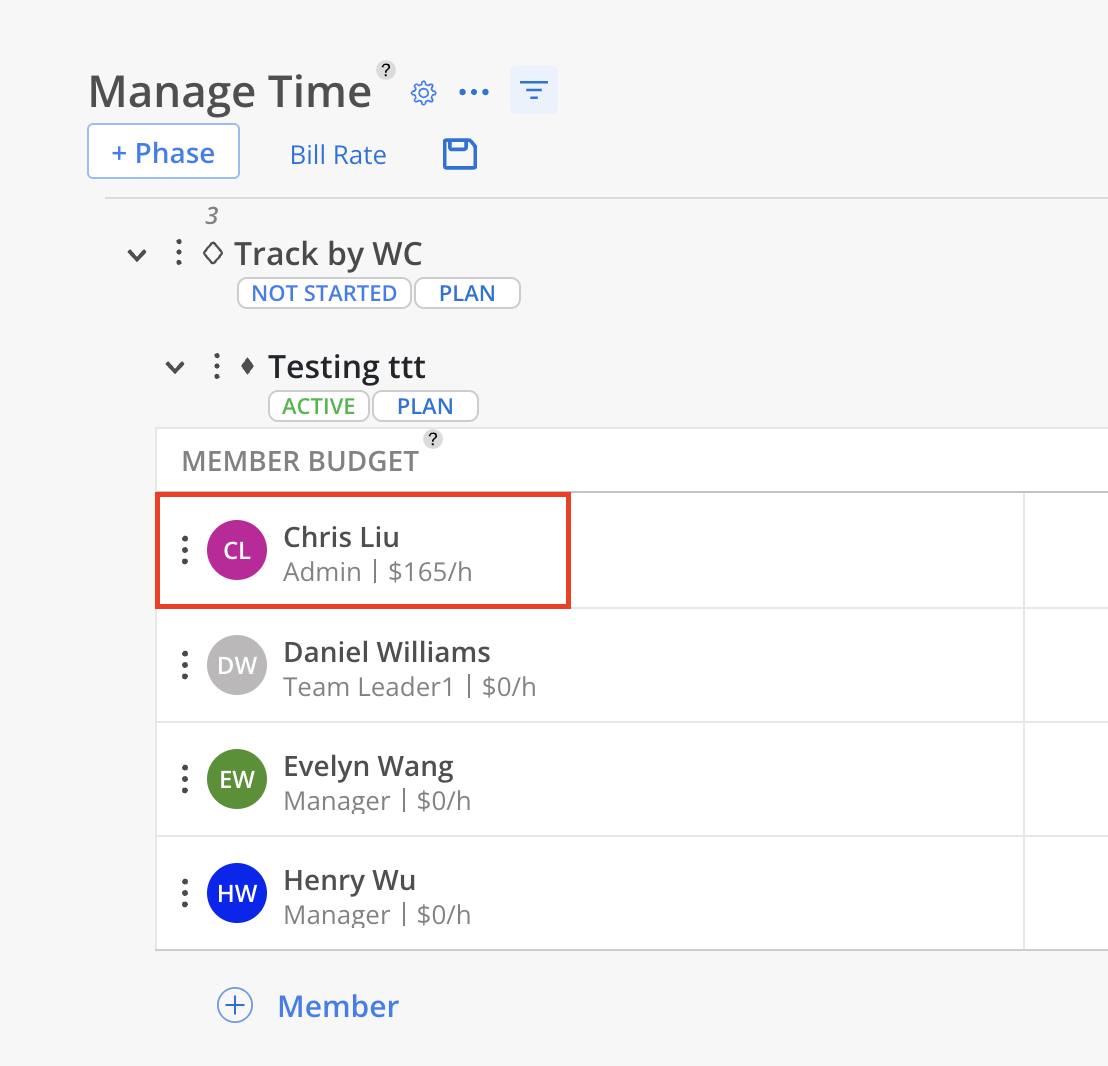
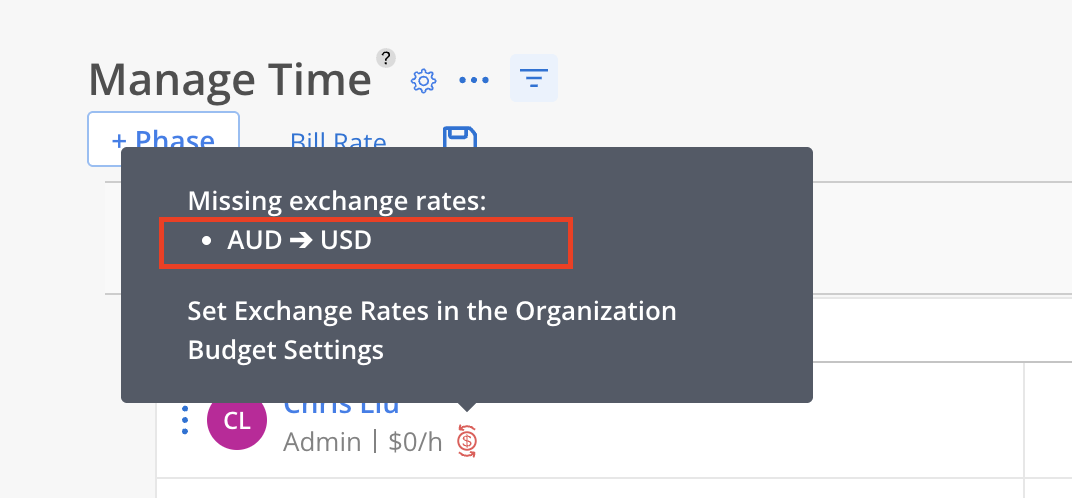
A Missing Exchange Rate Indicator appears in the Budget modal under the Time and Scope tabs when a team member’s rate is set in a different currency that lacks a defined exchange rate to the project’s currency.
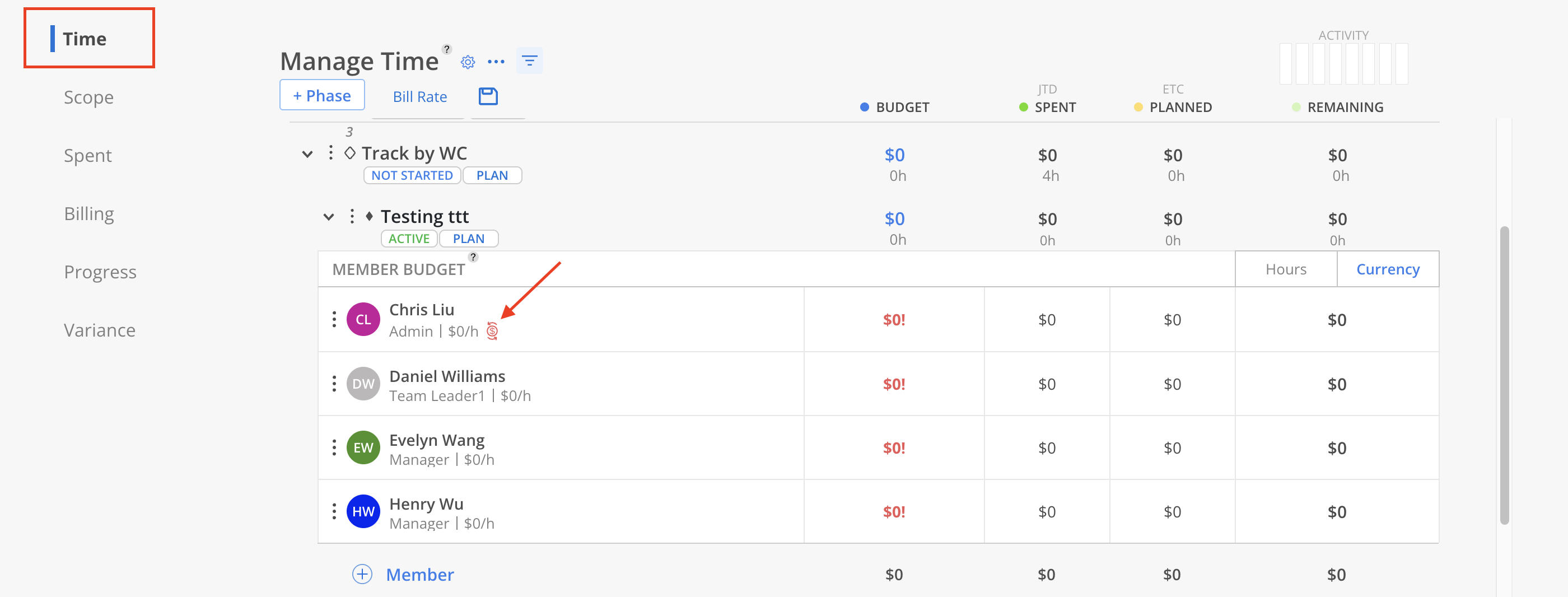
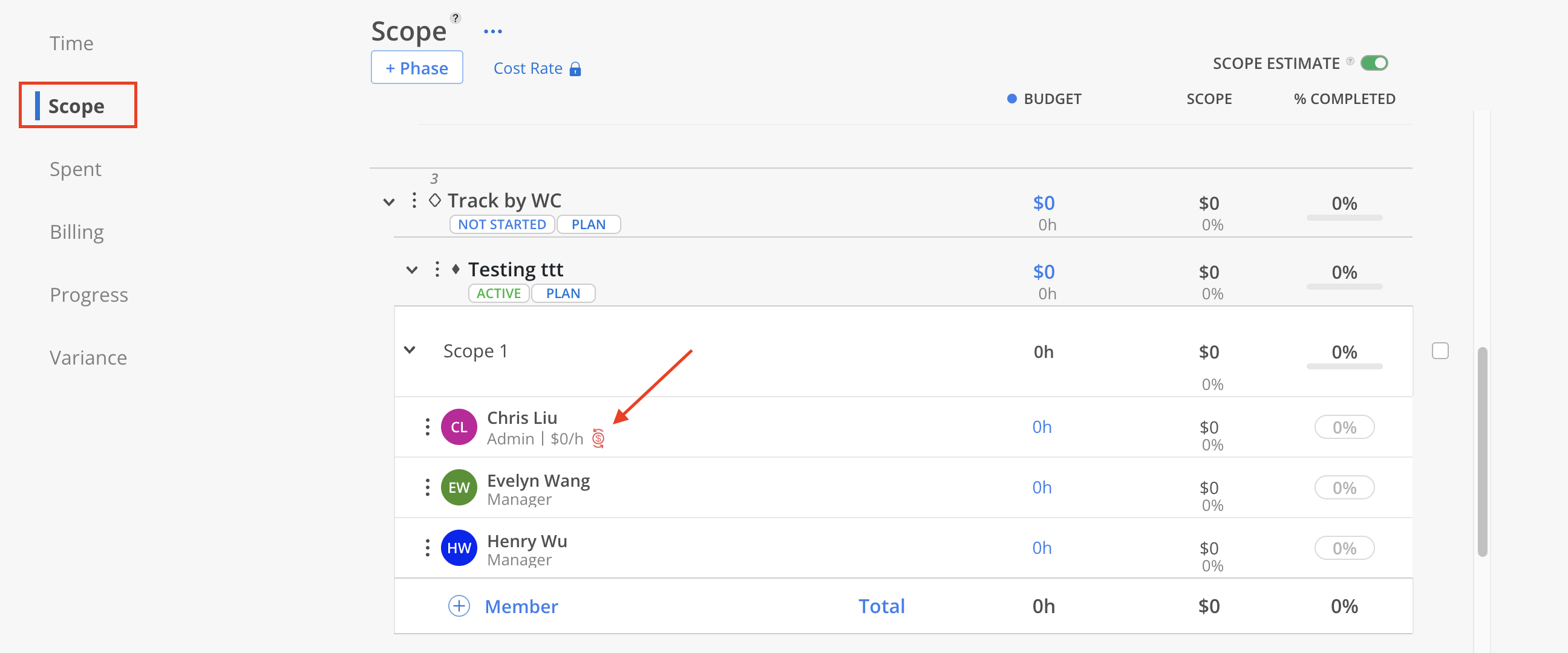
The tooltip for the icon provides a summary of missing exchange rates:
Displays up to five unique currency codes.
If more than five currencies are involved, it shows: and X others (e.g., and 3 others).
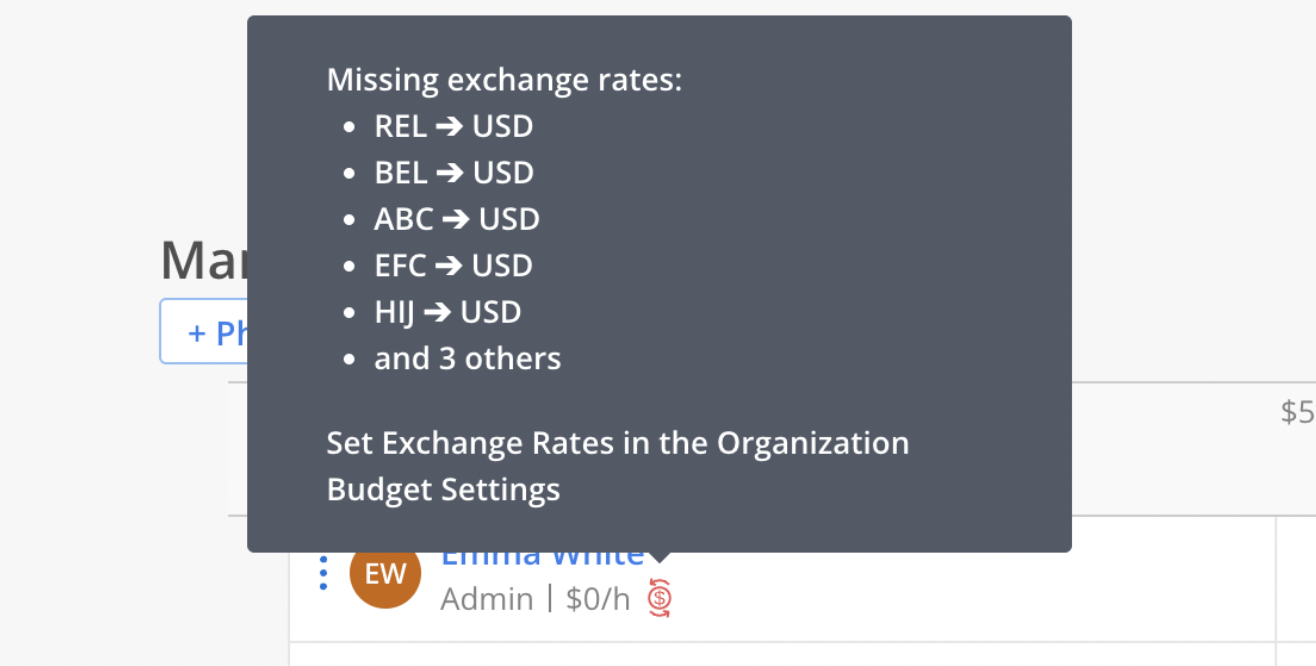
To fix the issue:
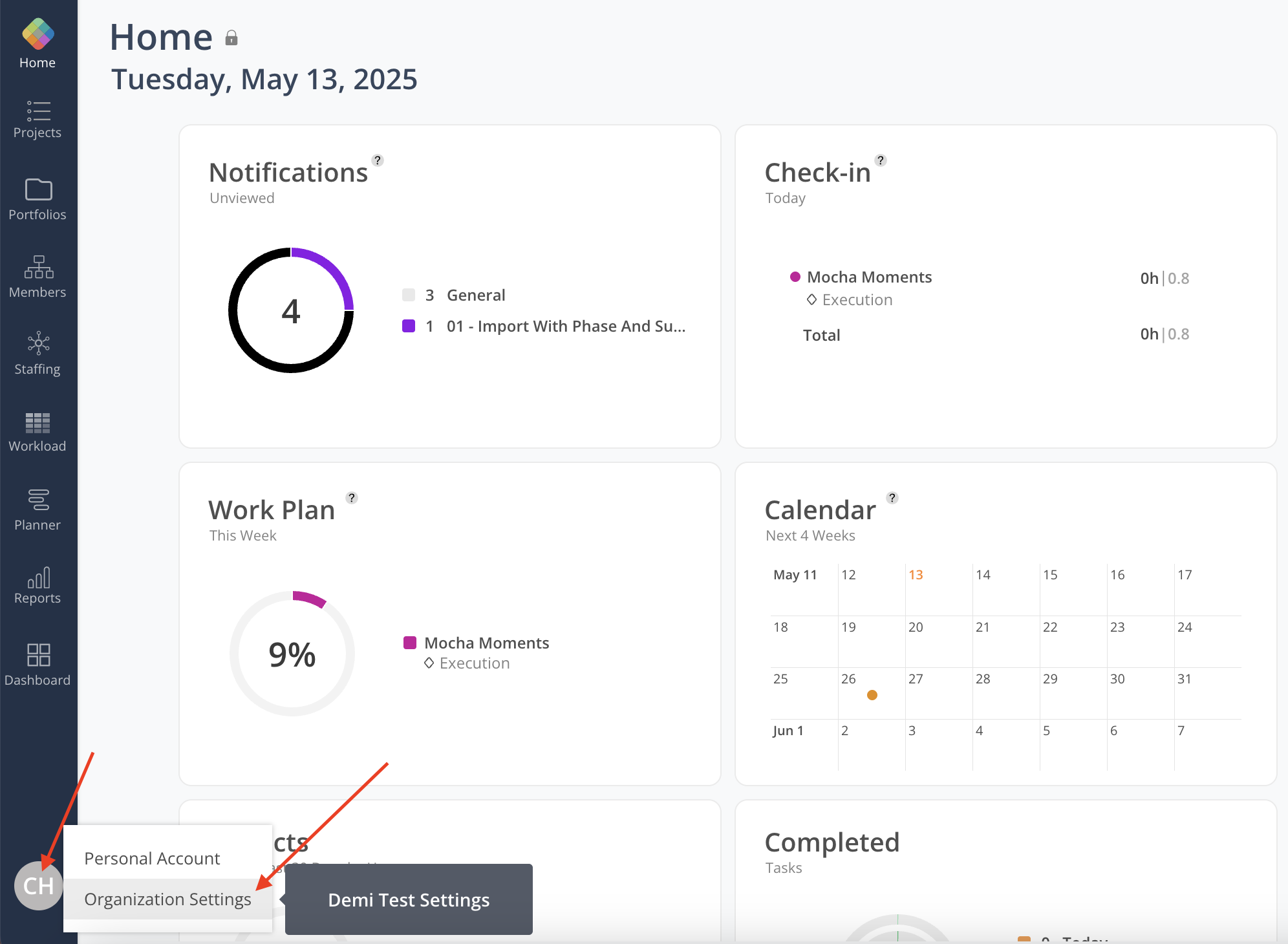
Navigate to Organization Settings.
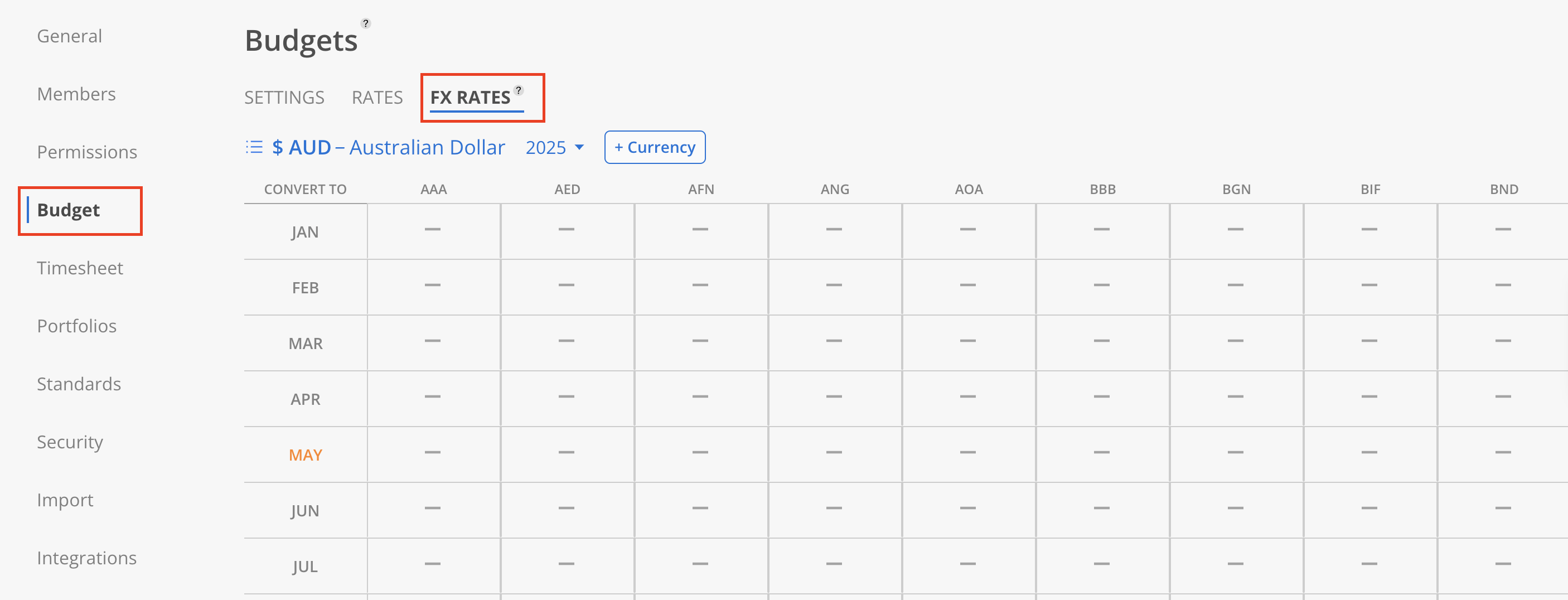
Navigate to Budget Tab and click FX Rates to see the exchange rate table.
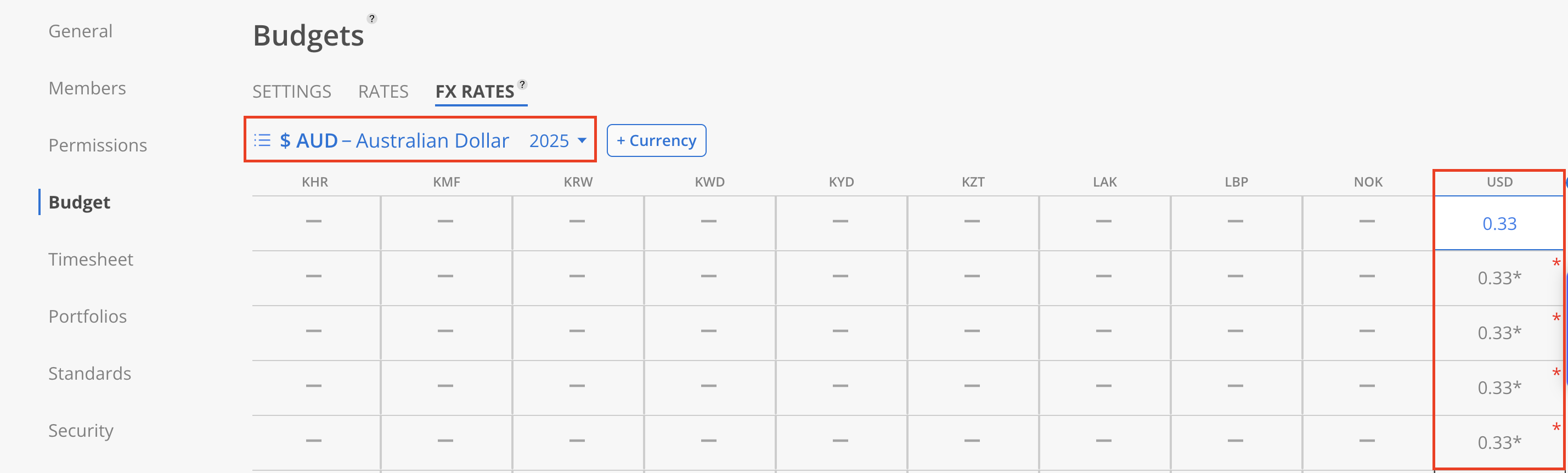
Select the correct currency table to add the missing currency pairings that are displayed in the tooltip.
For example: AUD ➔ USD, select the AUD currency table, then enter the exchange rate on the USD column.

Return to the Budget Modal and the indicator will be updated or removed accordingly.