
If needed, you can export your filtered view of the Planner Space, including work plans.

Please note, the export will contain the exact projects you have filtered to and the time period you are viewing. I.e. if you have 10 projects and are viewing them from January to December - your export will contain that information.
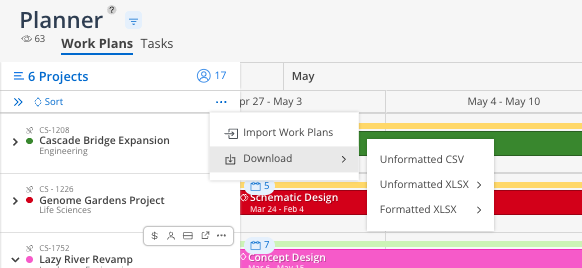
To export Work Plans from the Planner view:
Select the three-dot button next to the Sort option.
Select Download from the dropdown menu.
Choose the desired file format:
Unformatted CSV
.CSV:
By Phase
By Member
.XLSX:
By Phase
By Member
For more details on the data included in exported files and to view a sample export, please refer to this article