On the Project Schedule modal, click the three-dot menu, select Download, and choose a format. This is the same three-dot export control used in the Budget and Members modals, so the action sits in the same place wherever you are exporting from.
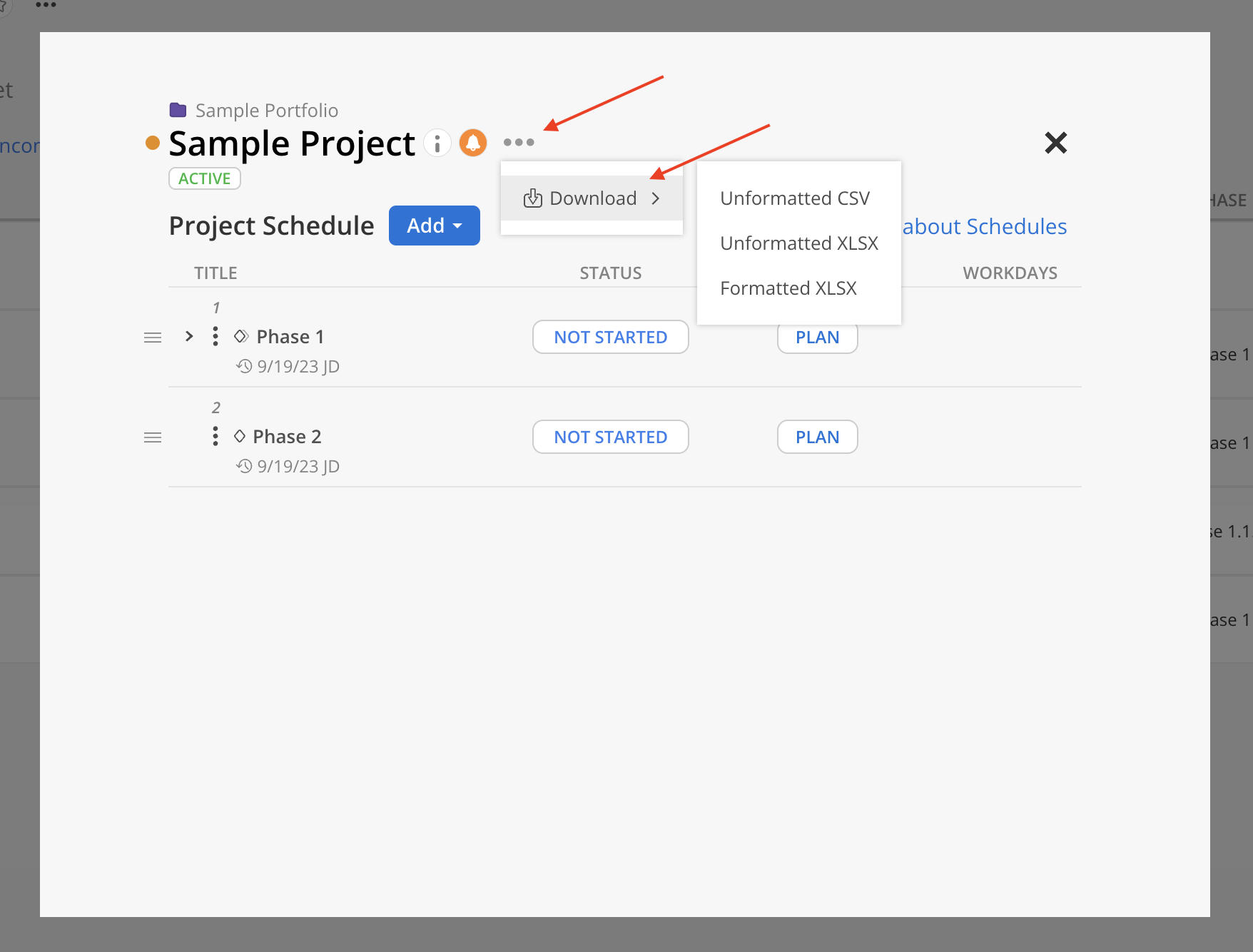
The three formats hold the same information in two different shapes.
Unformatted CSV — one flat table, as comma-separated text. Choose this when the file is feeding another system.
Unformatted XLSX — the same flat table as an Excel workbook, ready to sort, filter or pivot.
Formatted XLSX — an Excel workbook laid out as a report, one block per project. Choose this when someone is going to read the file rather than process it.
The export is one row per schedule item. The Row Type column tells you what each row is:
Row Type
What it is
Project | The project itself |
Phase | A phase, including any subphase |
Milestone | A milestone |
Work Category | A work category on a phase |
Milestones get their own row type because in Mosaic a milestone is a kind of phase — separating them keeps a milestone's single date from being read as a phase's date range.
Columns that do not apply to a row are left blank: a Milestone row has no phase start and end dates, a Phase row has no work category, and so on.
Unformatted CSV and Unformatted XLSX share an identical layout of 43 columns, in six groups:
Project (6) — Portfolio, Project, Project Ref#, Project Client, Project Status, Project Billable. These repeat on every row.
Phase (9) — Phase, Phase Ref#, Phase Client, Phase Status, Phase Billable, Phase Start Date, Phase End Date, Phase Work Days, Phase Baseline Work Days.
Milestone (3) — Milestone, Milestone Status, Milestone Date.
Work Category (6) — Work Category, Work Category Ref#, Work Category Status, Work Category Billable, Work Category Start Date, Work Category End Date.
Row Type (1) — see the table above.
Subphase (18) — Subphase 1 through Subphase 9, each paired with a Subphase Ref#.
Every column is present in every export even when it has no value, so the layout is stable enough to build a template or an import mapping against.
This is the part worth reading twice. The Phase column always names the top-level phase, however deep the row actually sits. The Subphase columns then spell out the path down from it, one level per numbered pair — and the last filled Subphase column is the item the row is really about.
So a project with Phase 1 > Phase 1.1 > Phase 1.1.1 exports as:
Phase
Subphase 1
Subphase 2
Row Type
Phase 1 | Phase | ||
Phase 1 | Phase 1.1 | Phase | |
Phase 1 | Phase 1.1 | Phase 1.1.1 | Phase |
Work categories repeat their parent's path, so a work category on Phase 1.1.1 carries Phase 1 in the Phase column and both subphase names beside it, with Work Category as its Row Type. A phase with no subphases leaves all eighteen columns blank.


The formatted workbook stacks one block per project. The project's name is the block heading, with its details listed down the left — Ref#, Portfolio, Client, Status, Billable and Currency — and the schedule table beside it.
The table's columns are the same ones as the flat file, but arranged under grouped headers — Phase, Milestones, Work Category, Row Type and Subphase — so you can see which section a column belongs to. Subphase columns appear as Name / Ref# pairs.
Two differences from the flat file:
The project's details are not repeated on every row, because they live in the block heading.
There is no Project row. The project is the block, so the rows are only phases, milestones and work categories.


You need read access to a project's details to export its schedule. The Currency field appears only if you have permission to see team currency.
