On the manage member modal, click the three-dot menu next to the project name, select Download, and choose a format.
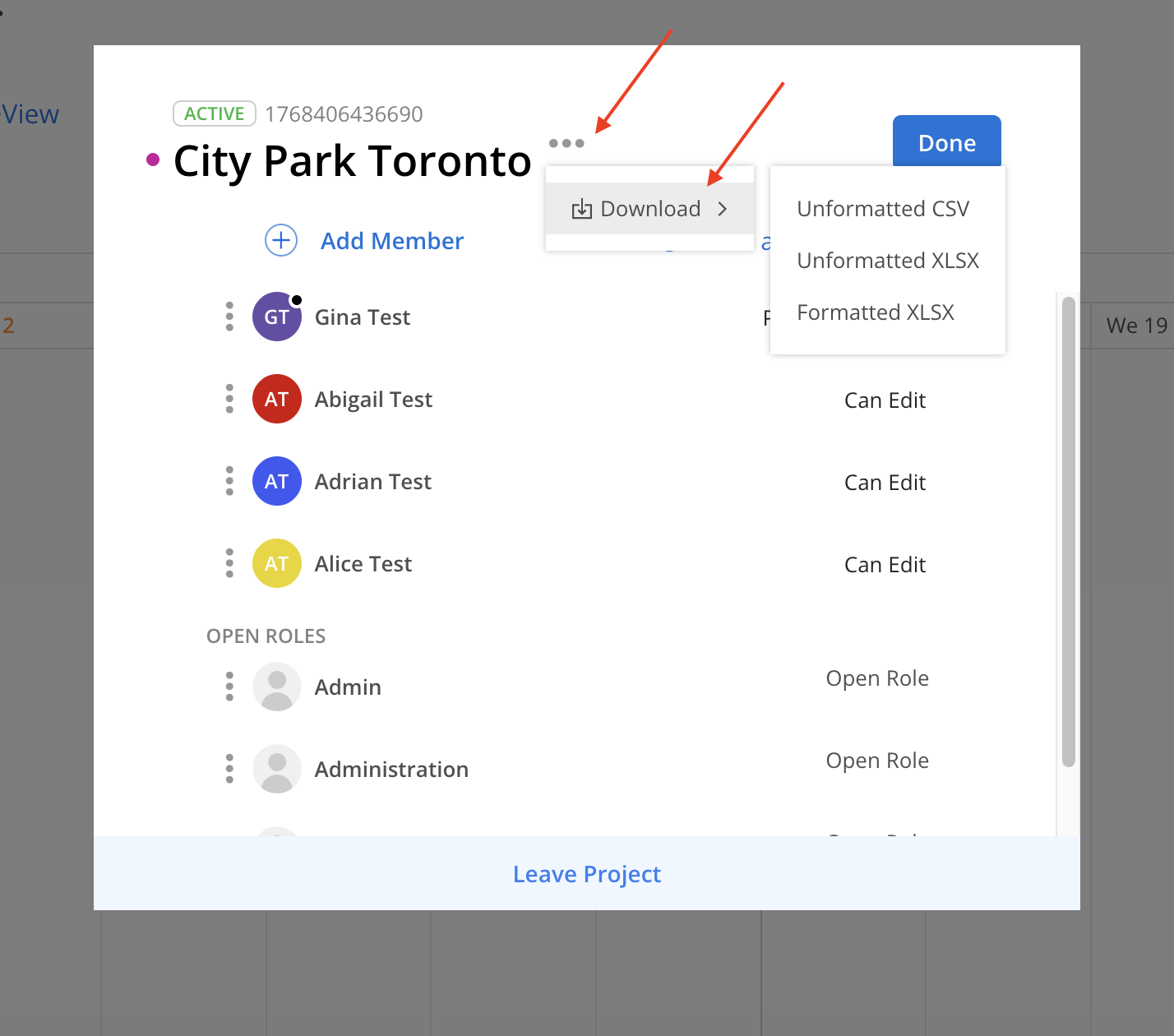
Unformatted CSV — plain comma-separated values, with no styling. Use this when the file is going into another system.
Unformatted XLSX — the same raw data as an Excel workbook, ready for you to sort, filter or pivot.
Formatted XLSX — an Excel workbook with Mosaic's formatting applied, ready to read or share as-is.
The export will start immediately. Large projects may take a few moments.
Whichever format you pick, the export covers the same ground: every member and every open role on the project, at each level they are assigned to — the project itself, each phase, and each work category. Names, emails, roles and rates come with them.
What changes between formats is the shape.
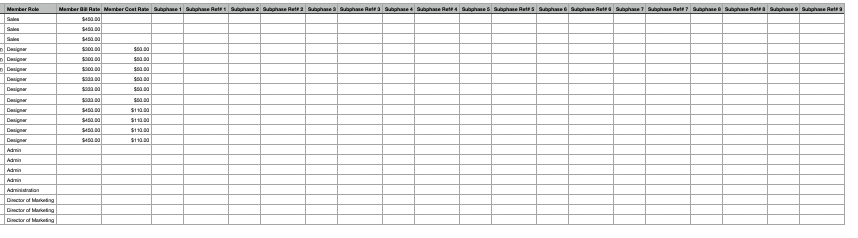
Unformatted CSV and Unformatted XLSX share an identical layout: a single wide table, 45 columns, with one row per assignment rather than per person. Someone who is on the project, on two phases and on one work category takes four rows.
The Row Type column tells you what each row describes — Project Member, Phase Member, Work Category Member, or the same three for Open Role. The project, phase and work category columns to its left are filled in down to that row's level and left blank below it, so a project-level row has no phase name and a phase-level row has no work category.
The columns fall into five groups:
Project (8) — Portfolio, Project, Project Ref#, Project Client, Project Profit Center, Project Status, Project Billable, Project Currency. These repeat on every row.
Phase (7) — Phase, Phase Ref#, Phase Client, Phase Status, Phase Billable, Phase Start Date, Phase End Date.
Work Category (6) — Work Category, Work Category Ref#, Work Category Status, Work Category Billable, Work Category Start Date, Work Category End Date.
The assignment (6) — Row Type, Member, Member Email, Member Role, Member Bill Rate, Member Cost Rate.
Subphases (18) — Subphase 1 through Subphase 9, each paired with a Subphase Ref#, tracing the subphase path one level per numbered pair.
Every column is present in every export even when it has no value, so the layout is stable enough to build a template or an import mapping against.

The formatted workbook drops the flat table and lays the same data out the way the project is organised. It opens with a count of the projects exported and the timestamp the file was generated (in UTC), then works down the project's structure:
A Project block first, then a block per Phase, with each phase's Work Category blocks beneath it.
Each block carries that entity's details stacked down the left — reference number, client, status, billable, start and end dates, plus portfolio, profit center and currency on the project.
Beside them sits a Member table listing everyone assigned at that level, with Name, Email, Role, Bill Rate and Cost Rate.
Because the block itself tells you the level, there is no Row Type column, and there are no subphase columns — nesting is expressed by where a block sits.
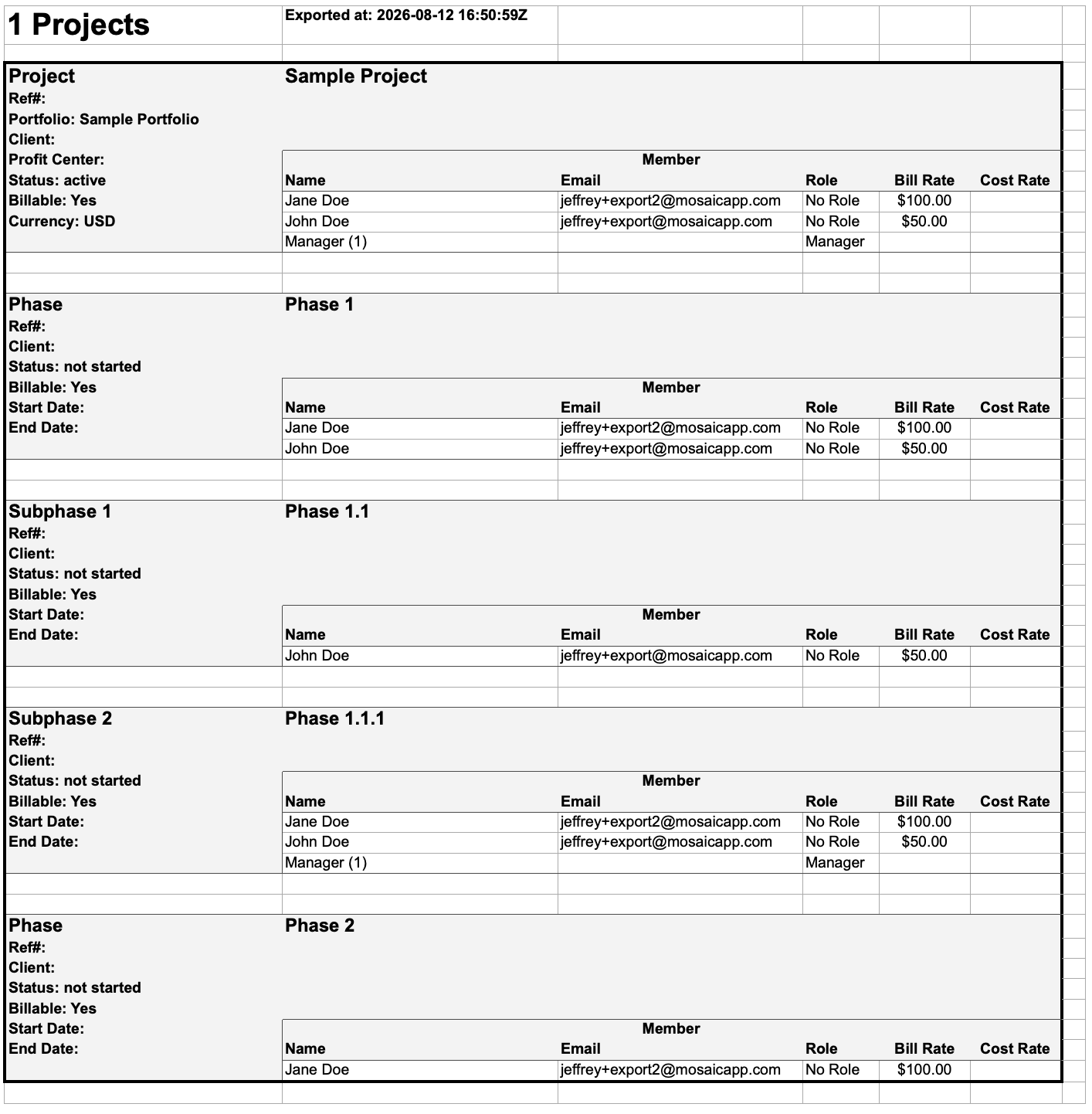
Open roles appear alongside members in both shapes. The role's name carries its instance count — Admin (1) — and it has no email and no rates, since no one is assigned to it yet.
You need access to the project to export its members. Members you cannot see in the modal do not appear in the file.
