Workload Space Display Controls allow you to configure and customize the Space to your preferences. These settings are personal — changing them only affects your view, not anyone else's.
Display Controls — on the top right of the Planner
Row Height Controls — allows you to condense the row height of the page
Activity Log — provides full activity log of actions
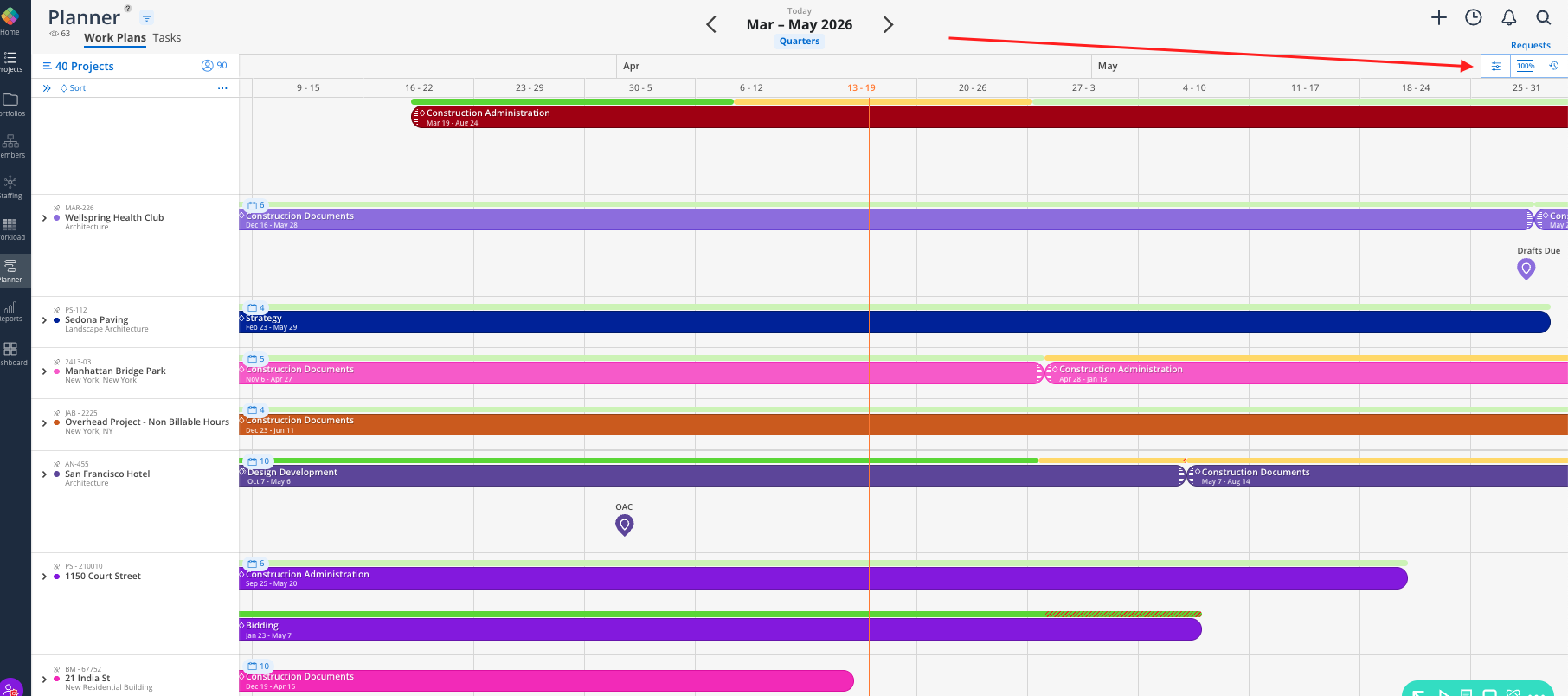
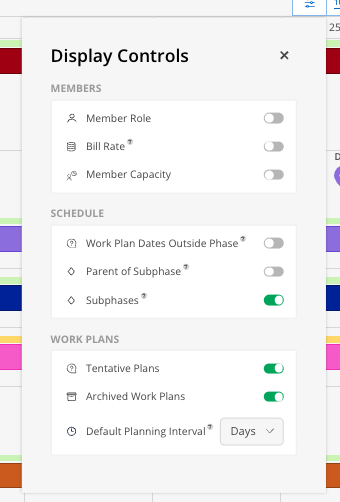
Display Controls are accessed from the three-dot icon on the top right of the Planner space. The settings panel includes:
Member Controls — Control what member information is shown
Schedule Controls — Show or Hide the Parent of the Subphase
Work Plan Controls — Set Default Planning Parameters
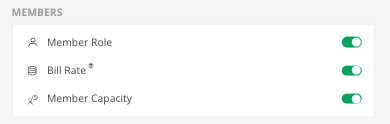
Member Role — Toggle the member's role underneath their name on or off
Bill Rate — Toggle the member's bill rate to appear. Restricted to Budget Managers and Admins. Requires an additional click to reveal the actual number under Members Name
Member Capacity — Toggle their weekly capacity (e.g., 40h/wk) underneath their name

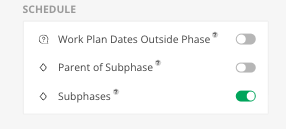
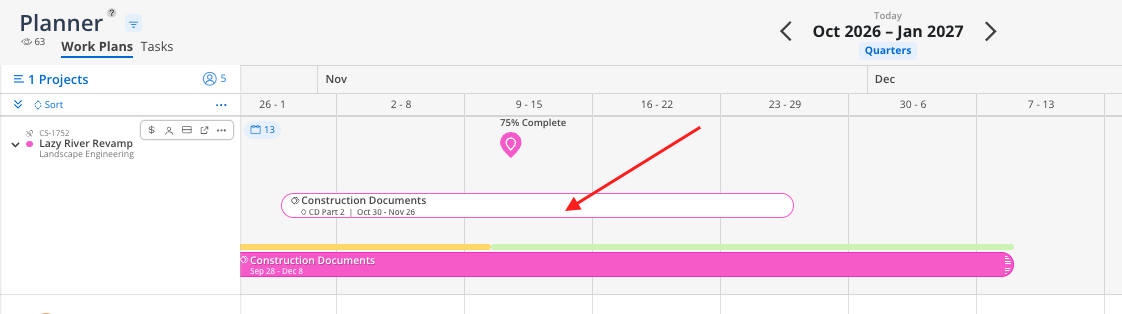
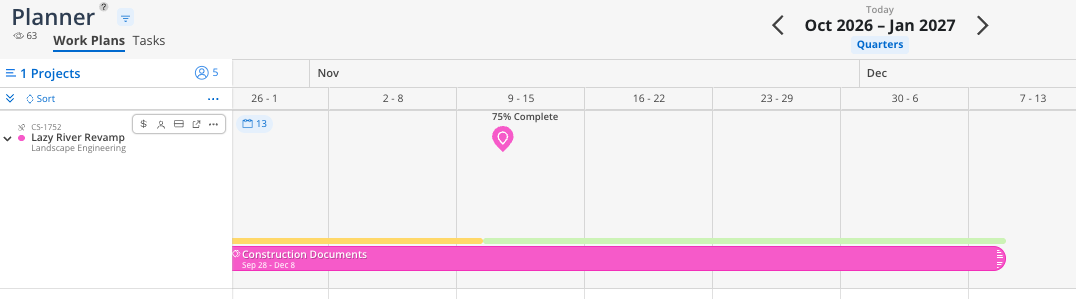
Work Plan Dates Outside Phase Dates - Toggles on a faded phase timeline when Wokr Plans are scheduled outside of the Phases’ scheduled dates

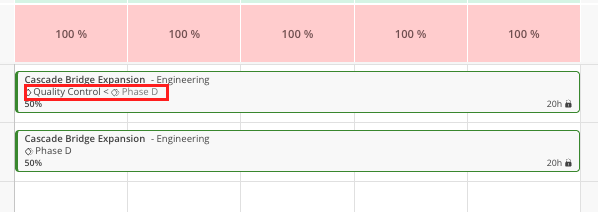
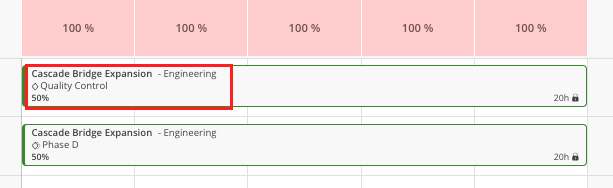
Parent of Subphase - This allows you to show or hide the parent of the Subphase on a work plan
Toggled On
Toggled Off
Subphase - Toggles only the top level Phases (i.e. Parent Phase). For teams using Work Categories, this will toggle off as well.
Toggled On
Toggled Off
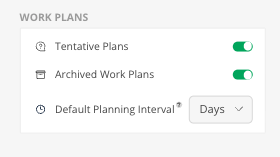
Tentative Plans — Show or hide plans marked as tentative. Use this to toggle "what-if" scenarios on and off to quickly review capacity
Archived Work Plans — Show or hide work plans that have been archived
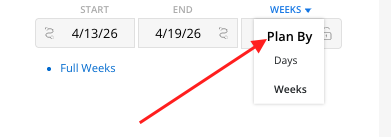
Default Planning Interval — When enabled, new work plans default to weekly scheduling (hours per week or % per week); with date selections also adjusting to Monday through Sunday Increments. If you plan in full-week blocks, this is a great option
Condense rows for meetings. When reviewing multiple projects with your team, condense the row height so everyone fits on screen.
Turn on default weekly planning. If your team typically plans in weekly increments, this saves a click on every new work plan.
