Work plans are designed to be flexible. As projects evolve and priorities change, you can quickly adjust plans without recreating them from scratch. Additionally, all modifications are tracked in the activity log - ensuring easy visibility.
When you hover over or right-click a work plan bar in the timeline, you see options to interact with it:
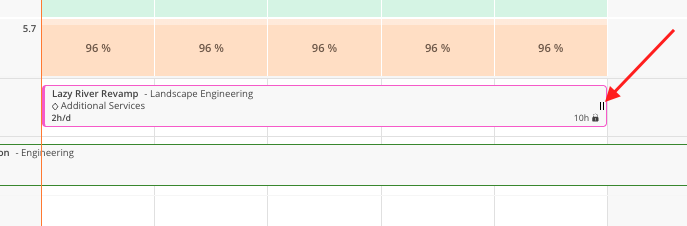
Drag handles — Arrows on either end of the bar to extend or condense
Right-click menu — Options to copy, split, or delete
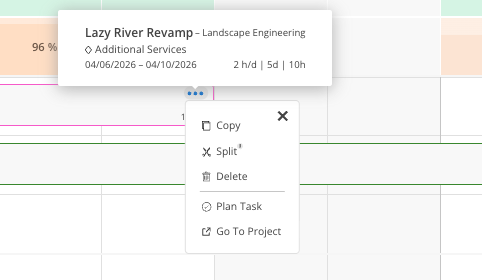
Click to open — Opens the full work plan modal for editing any field
Click and hold a work plan bar.
Drag it left or right to move it to a different date range.
Drag it up or down to move it to a different member's row.
Release to drop it in the new position.
Hover over the left or right edge of a work plan bar until you see the arrow cursor.
Click and drag outward to extend the plan, or inward to condense it.
The locked value (e.g., hours per week) stays constant. The total adjusts based on the new duration.
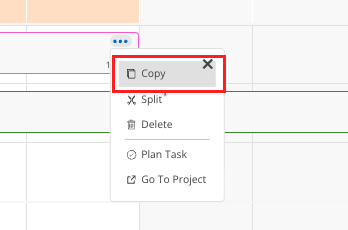
Right-click on a work plan bar.
Select Copy.
Choose the member who should receive the duplicate plan.
The copied plan appears on the new member's row with the same project, phase, hours, and dates.
Right-click on a work plan bar.
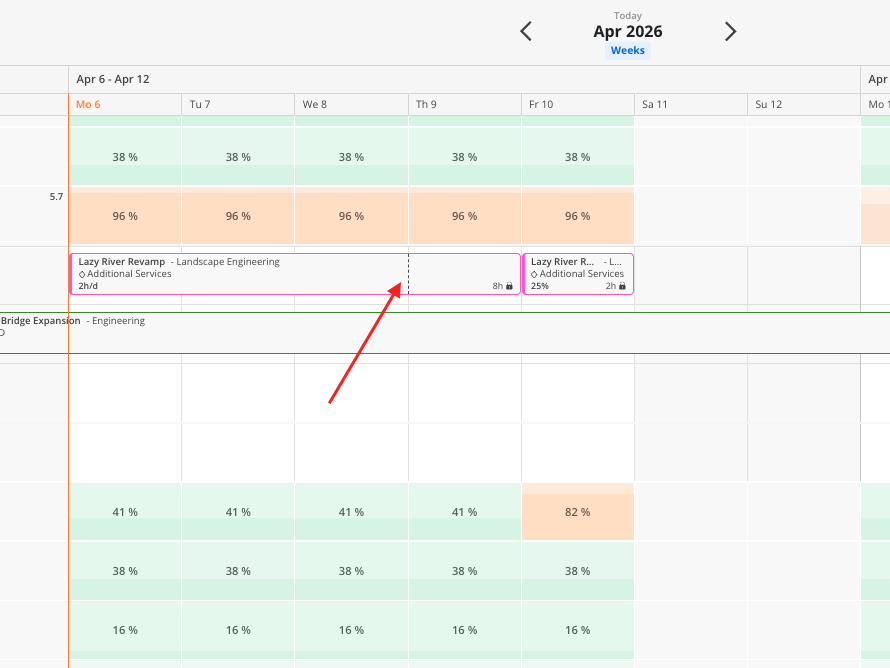
Select Split.
A scissor icon appears. Click the point in the timeline where you want to make the split.
The plan divides into two separate work plans at that point.
You can then independently move, edit, or reassign each half.
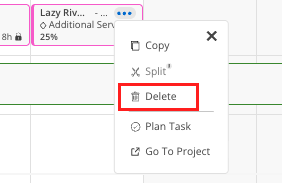
Right-click on a work plan bar.
Select Delete.
Confirm the deletion. The plan is removed and the member's capacity updates immediately.
In case you accidentally delete the wrong work plan, be sure to check the Activity Log to see a record of the information.
Split for week-to-week adjustments — Start with a broad multi-week plan, then split at the current week to adjust the upcoming portion
Copy for team-wide assignments — If several members need the same plan, create one and copy it to each person
Drag between members to reassign — If someone is overbooked, drag their plan directly into an available member's row
