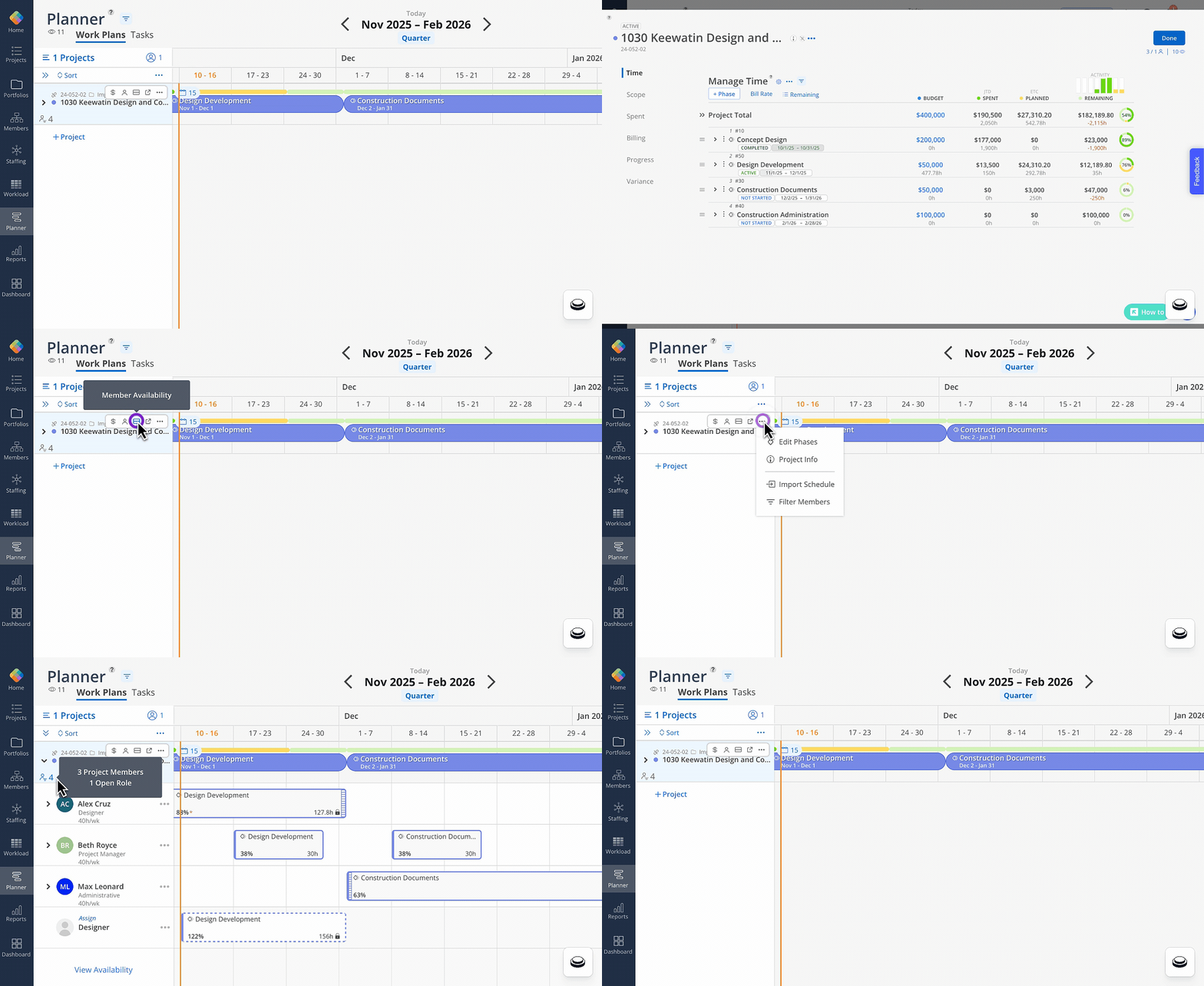
To make Mosaic even easier to use, we’re rolling out an improvement in the Planner Space. This update hasn’t gone live yet—this is a heads-up so you and your team can be ready when it does.
🔧 What’s Changing?
⭐ Planner Space: Project Quick Actions Menu
Old Action Menu: Underneath the project name on each project card. The budget, filter, and add members icon appeared underneath the project name.
New Action Menu: Top-right corner of each project card (hover over project cell). The budget, filter, and add members icon have moved to the planner action bar (top-right corner).
Why this helps: This update makes project actions easier to find and sets the stage for additional enhancements to the Planner experience.